Anonymous chat platforms can expose children to conversations and content that are difficult for parents to monitor. One platform that has raised concerns over the years is Omegle, which allows users to connect instantly with strangers through text or video chats. Because no existing relationship is required, children may unknowingly interact with people they have never met.
Although some users visit the platform simply to meet new people, the anonymous nature of the service can also increase the risk of inappropriate conversations, explicit content, scams, or contact from individuals with harmful intentions. Young users may not always recognize these risks or know how to respond when they encounter uncomfortable situations online.
For this reason, many parents choose to block access to Omegle or similar anonymous chat services on their children’s devices. Restricting access is just one part of creating a safer online experience. It is equally important to educate children about online privacy, encourage them to avoid sharing personal information, and maintain open conversations about their digital activities.
In this guide, you’ll learn several effective ways to block Omegle on your child’s devices, including built-in parental controls, network-level restrictions, and third-party parental control apps. These methods can help reduce online risks while allowing children to enjoy the internet in a safer and more age-appropriate way.
Part 1. What is Omegle?
Omegle.com launched about 13 years ago on March 25, 2009, but its popularity among teens in recent years is mind-blowing. Omegle is a free online website that gives users the chance to chat with anyone in the world. No age verification and no account registration. It enables users to chat with others over messages or videos anonymously, which raises concerns about the safety of using this site among teens and children.
Part 2. How to Block Omegle?
The best way to block one website without giving kids the chance to access it is to use the parental control app, which can block the app, and restrict your kids’ access to inappropriate websites, not just Omegle. Not only this, you can check where your kids are located in real time.
Here we will show you how to block the site with one of the best Parental Control apps – mSpy.
Block the app:
Step 1: Create an account by giving your Email address and password.

Step 2: Once you completed the account creation process, install the mSpy app on your kids’ phones.
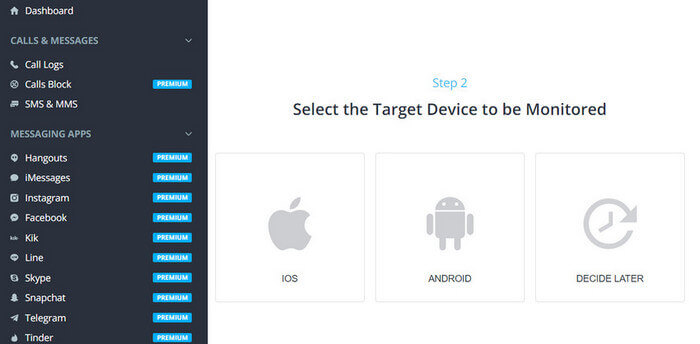
Step 3: Click Start to begin your monitoring.
Step 4: Once everything is settled down, open the mSpy app on your phone. Click on Features->App Blocker. Then you will see all the apps running on your child’s phone. Click on the switch button in front of the Omegle app to block it. You can block this app for a while or block it permanently.

If you’re unable to find Omegle under the Block app’s internet section, you could choose Block apps by age rating.
Then your kids will not be able to access this app. If they are trying to start it, you will receive an alert instantly.
Block the site:
Another way to block Omegle is through the Web Filter feature.
Step 1: Open the mSpy app, Click on Features > Block Websites.
Step 2: Here, you will find several categories prepared for you to block or unblock. To block Omegle.com, please click Exception.
Step 3: Type in Omegle.com, then choose the Add button.

Then you’re free to go. Kids will not have access to that site anymore.
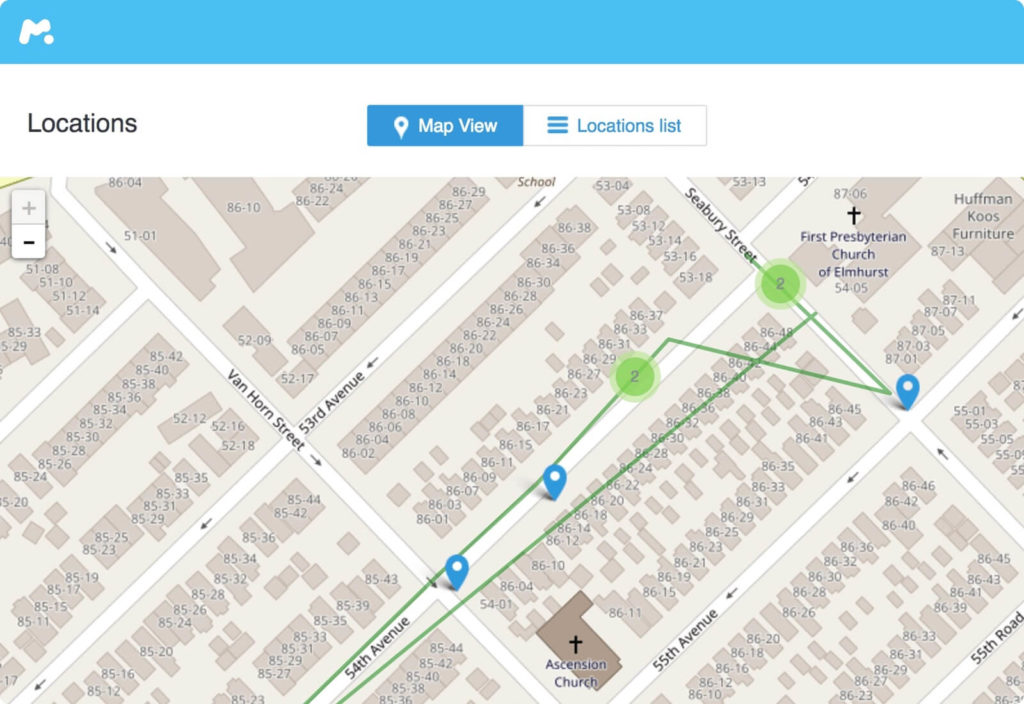
Not only this, but mSpy can also help parents check kids’ real-time location. You need to tap on Real-time Location; then, it will show you the exact place of your little kids.
If you do not have the time to check your kids’ location in real time, then the Geofences feature can help you a lot. It ensures your kids’ physical safety and will send you an alert once kids step out of the safe zone. In this way, parents do not need to worry that kids may hang out to meet online friends instead of staying at school.
Part 3. More Information about the Omegle App – How Does it Work?
Video Chat
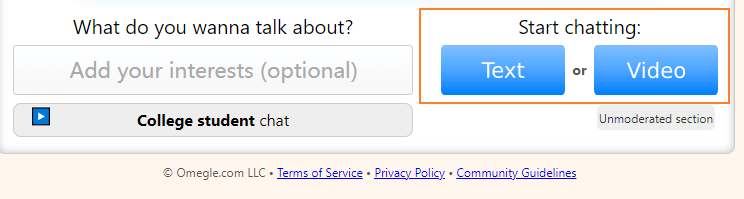
Once start the site, the system will give you two options: Text Message or Video Chat. Users can select the option they need.
Monitored Chat
If you want to video chat on this app, the system will provide two options.
- Monitored Chat
- Unmonitored Chat
The Monitored chat option can filter out the adult content on this site, then there will not be any kind of adult content or vulgarity accessible.
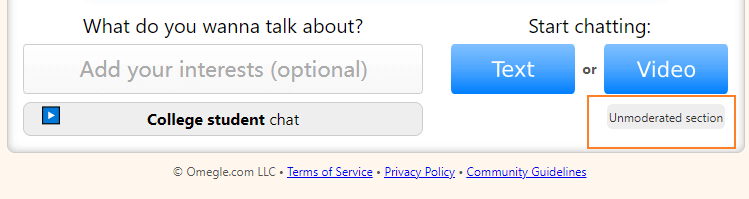
If you choose the Unmonitored feature, you may match the users who have sexual intentions. The system will match the account with any random account in this world, and the user has no idea of what they will see or who they will chat with. Some teens may feel extremely excited about such a setting, but what kind of potential risks such settings may bring about is easy to predict.
Part 4. Things Parents Should Know about Omegle:
The potential risks of Omegle parents should know:
Online Predator:
Omegle is set to chat with strangers through messages or video calls. Though the website will not ask you for personal information like your age, name, phone number, etc., users always tend to share the information with the strangers they’re chatting with. It can be a big challenge for little kids to tell which kind of information can be shared or which can not. Then the challenge becomes the opportunity for the online predator.
Adult and Explicit Content:
Adult and Explicit content are easy to be seen on Omegle. Once you match up with a stranger, it’s impossible to control what you’re going to watch or hear. Many users make use of Omegle for live sex behavior or sexual conversation. They will not show any mercy when they are facing a little child.
Cyberbullying:
There is no regulation stating that the system will not save any messages or video records on Omegle. And there is no way to tell whether strangers will record your kids’ chatting history and video call or not. But what we can ensure is that the record will not be used for a positive purpose.
Part 5. More Suggestions for Parents
Apart from blocking Omegle, there are still a few methods parents should take action. In this way, parents can relieve their concerns when kids are playing with the tech devices, no need to worry that they may get affected by other apps or sites like Omegle.
Communication
Spend some time with your kids to get to know how their day is going every day, the news happening in their class, the classmates they prefer to play with, etc. According to the statistics, communication is the best way to establish a trusting bond between parents and kids. Once your kids trust you, family education will be much easier, to begin with.
Family Outdoor Activity
Go out to have a family activity each month or week to enjoy the fresh air. You can go for a picnic, cycling, swimming, or climbing with your kids, which are good for both their physical and mental health. Not only this, but your kids’ attention to the tech devices can be diverted as well. Unfortunately, if it’s unable to go outside to have fun due to the pandemic lockdown, indoor family activities like board games can work the same.
Behave Yourself
Babies learn how to walk, speak, and behave like their parents, and so do young kids. To let your kids put down their phones, you’d better do that at first.
Conclusion
In conclusion, blocking Omegle is an important first step, but it should not be viewed as a complete solution. New anonymous chat apps and websites appear regularly, and tech-savvy children may eventually discover alternative platforms. Relying solely on website blocking cannot eliminate every online risk.
A more effective approach combines parental controls with ongoing education. Using a reliable parental control app allows parents to manage app installations, filter inappropriate content, monitor online activity, and set healthy screen time limits. At the same time, teaching children about online privacy, responsible communication, and the dangers of interacting with strangers helps them develop the judgment needed to make safer decisions on their own.
By combining technology with trust and open conversations, parents can create a healthier digital environment where children are better protected without feeling isolated. This balanced strategy not only reduces the risks associated with Omegle but also prepares kids to navigate the wider internet safely and responsibly as they grow.
How useful was this post?
Click on a star to rate it!
Average rating / 5. Vote count: