
If your child regularly uses a smartphone or tablet with internet access, having a reliable parental control solution is becoming less of an option and more of a necessity. With devices like Android phones and tablets now widely used in schools and daily life, children are exposed to online content, social platforms, and digital interactions at an earlier age than ever before. While technology brings many benefits, it also introduces risks that can be difficult for parents to manage without the right tools.
One of the biggest challenges parents face is knowing whether their child is ready to navigate the digital world responsibly. Not all children can easily distinguish between safe and harmful content, and constant supervision isn’t always practical. Fortunately, modern parental control apps provide an effective way to bridge this gap. These tools allow parents to monitor online activity, set screen time limits, block inappropriate websites, and receive activity reports—all from a single dashboard.
Compared to the past, when managing children’s tech usage required constant oversight, today’s solutions offer smarter and more efficient control. In this guide, we’ll explore the best free parental control apps for Android, helping you choose the right tool to ensure your child’s safety while encouraging healthy digital habits.
What Is Parental Control?
It’s a software that is specially designed to help parents. By using this software, parents can control and block all the unnecessary content that they think is not suitable for their children. Internet masters make an application in which you can set all the things for your home devices, and in this application, all the guidelines are given on how you can use it. For guidance purposes, videos are given in which all the information is given step by step, so you can easily use it.
Control types
Controls can sometimes be confused, so parents need to know about the three types of controls.
- The network level is set to control the hub or router and applies to all devices associated with this center or router(covering your entire family).
- Device-level control is automatically set for a smartphone, and its application will apply to how the device is connected to the internet.
- Application controls contain applications or platforms that are being used. An example of the setting will be set on YouTube or Google. Check that they are set for your child on every device accessible.
What Controls Do?
Many types of controls are available, and these controls allow parents to do things like:
- Stopping porn and blocking all the violence that you don’t want to see your child.
- Limited what information can be shared.
- Set time limits for your children to use the Internet.
- Each family member made a separate profile. Therefore, according to each member’s requirements, you can easily set the different access levels.
- Give access to your child to the internet only during the daytime.
Top 10 Free Parental Control Apps for Android
Between tablets, phones, and laptops, many kids have access to all corners of the internet starting at a very young age. Unfortunately, along with the educational, resourceful, and fun content online come concerning and potentially dangerous apps, websites, and interactions. Thankfully, parental control apps give parents the ability to monitor and restrict what their children can do on their devices.
Unlike a parental control router, which allows parents to control what websites kids can and can’t access when they’re using their home wifi network, parental control apps let parents keep an eye on what their kids are doing on their devices, no matter where they are. With everything from location tracking, call and text message monitoring, and even real-time alerts, the best parental control apps can give caregivers peace of mind, whether their child is at home, school, or anywhere else.
We know parents can become overwhelmed trying to find the best app for their family with so many different ones to choose from. So, we researched and ranked some of the best parental control apps out there to help you narrow down your options.
There are many apps available for parental control on Android. You can easily find and download these apps on Android. In this article, we will discuss some parental control apps that are considered the best parental control apps for Android.
mSpy

mSpy is one of the best monitoring apps you can use in a very simple way. This is a paid app; you should buy the full version. First, fill out the order form for the subscription to mSpy and select your payment method. After sending a payment, you will receive an email with all the instructions about the installation and a link for download. Just click on the link, download starts, and after installing this tracking software on your child’s mobile, create your account and log in. Let’s start monitoring all the things, such as text messages, calls, apps, location, and all the activities performed on the Android device that is attached to this app.
This parental control application helps you safely manage how your children use their smartphones. mSpy provides the most comprehensive feature sets on the market for tracking your child’s web behavior.
If you’re looking for an excellent way to encourage your kids to use their smartphones responsibly, this option has many features that you may like.
Some of the exciting features of mSpy are given below.
- Activity report – A timeline gives you a glimpse of your child’s activity each day. This lets you know what applications they recently used and for what purpose.
- Screen time controls – Manage your children’s screen time by day and per device to meet their schedule and your parenting style.
- Tracking the GPS Location – Locate your child on a map so you can know where they are at all times time. You may also use the Location History Feature to see where they’ve been.
- Application Blocker – Some applications might not be safe for your kids, and mSpy blocks those apps from being installed.
- Website Filtering – You can set restrictions in mSpy if you don’t want your children to browse particular websites or categories of websites.
eyeZy
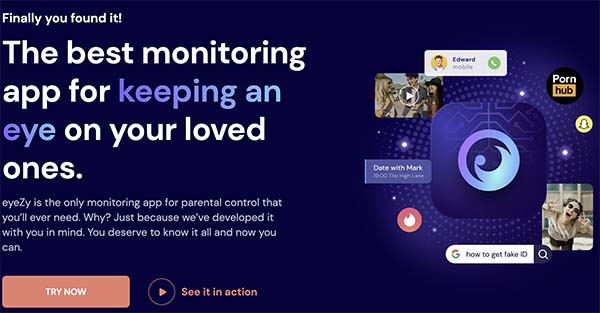
eyeZy is one of the needs of all your monitoring solutions, such as calls, WhatsApp content, messages, and all browsing history. This app was supported by all versions of Android and is also usable for iOS devices. This service is the safest monitoring service because it secures all your data. You can easily connect it from your social account and also use it for monitoring your staff activities, and help you know about your employees.
This is also a paid service, so you can use it after purchasing the full version. Register your account and connect it to your child’s phone, and monitoring starts automatically.
Spynger
For all Android versions and computers, Spynger is the best software for monitoring purposes. This software tells you about everything that happens on each device’s link with this software. It will give you features for monitoring, and you can’t see that feature on any other software or apps. This app is free and easily available on Android and iPhone. You can use this app for parental control and also for monitoring your employees in the office. With the help of this app, you can learn about all online conversations and more things that your child does while they are using the Internet.
Qustodio
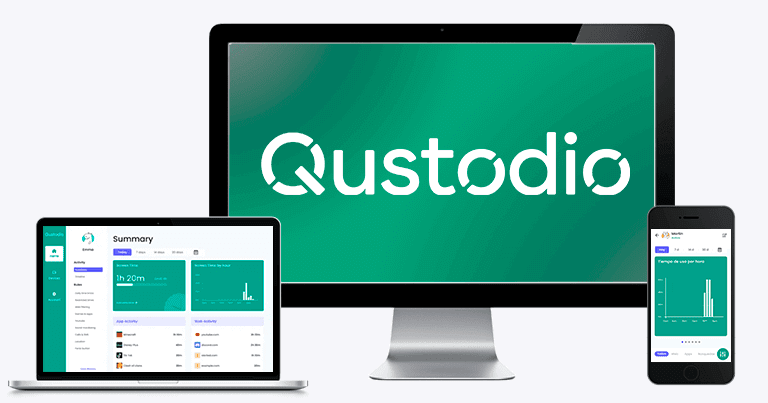
Qustodio is a parental control program that assists parents in regulating and supervising their children’s online activities. Qustodio is intended to protect your child and assist them in making wise online decisions. It accomplishes this by providing parents with simple tools to manage how their children use their devices.
The Qustodio app features a simplistic family portal dashboard with concise information about your child’s internet activity. Some of the exciting features of Qustodio are given below.
- Filter contents and apps – Qustodio blocks inappropriate applications, games, and websites.
- Set the limits – It establishes uniform time limits and displays intervals to assist your youngster in avoiding screen addiction, improving sleep patterns, and maintaining family time.
- Reports, alerts, and SOS – Receive detailed reports on your child’s online activities every day, every week, and every month, delivered directly to your inbox. Alerts notify you when they attempt to access a restricted website or are in trouble.
- Track calls and SMS – Tracking children’s calls and SMS messages allows you to catch predators and cyberbullies as soon as they attack.
ESET Parental Control Android

This app helps to monitor all the activities that your child has done on their phone. This app gives access to any website according to the age of the child. With the help of ESET Parental Control Android, you can set and allow your child to use apps. That you think its usage is not bad for your child, and also set their timing. By using this app, you can also locate devices that your children use at any time. ESET Parental Control Android also protects your social media accounts, like Facebook, Twitter, etc. They give an online scanner, and by using this scan you can scan the timelines of your social media account, and after scanning automatically lists all threats.
Kaspersky Safe Kids
Kaspersky is a fully-featured, low-cost parental monitoring system available for mobile and desktop devices. With an affordable price of around $15, you can safeguard up to 500 devices with Kaspersky’s subscription plan features.
Just like Qustodio, Kaspersky lets you screen your children’s exercise, and many parental control applications work best on mobile or desktop interfaces. However, Kaspersky Safe Kids works well on Android, iOS, Macs, and PCs.
Some of the exciting features of Kaspersky Safe Kids are given below.
- Websites and Apps filter – Block adult content and create a list of websites and apps that your child can only visit if you permit them.
- Location Tracking – You can follow your children wherever they go using Kaspersky Safe Kids.
- YouTube Safe Search – You can view your kid’s YouTube search history and stop them from getting into inappropriate content.
Circle
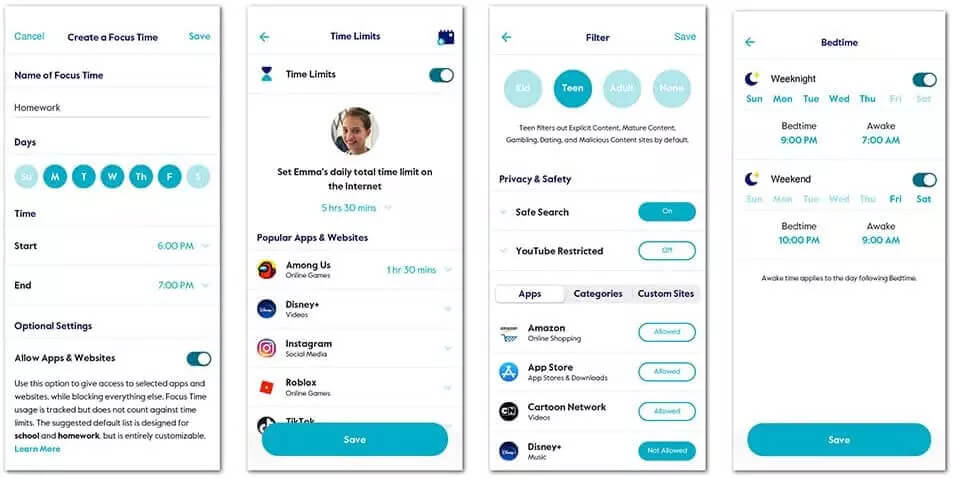
Circle parental control app provides you with complete protection of your family through secret spying. It enables you to find the device and its online performance.
You can know everything about your targeted child. Users can find the device and track digital devices to see what they are doing.
Parents can find everything and know what they are doing. It enables you to know everything regarding their activities. So, this is the best choice to protect them.
Bark
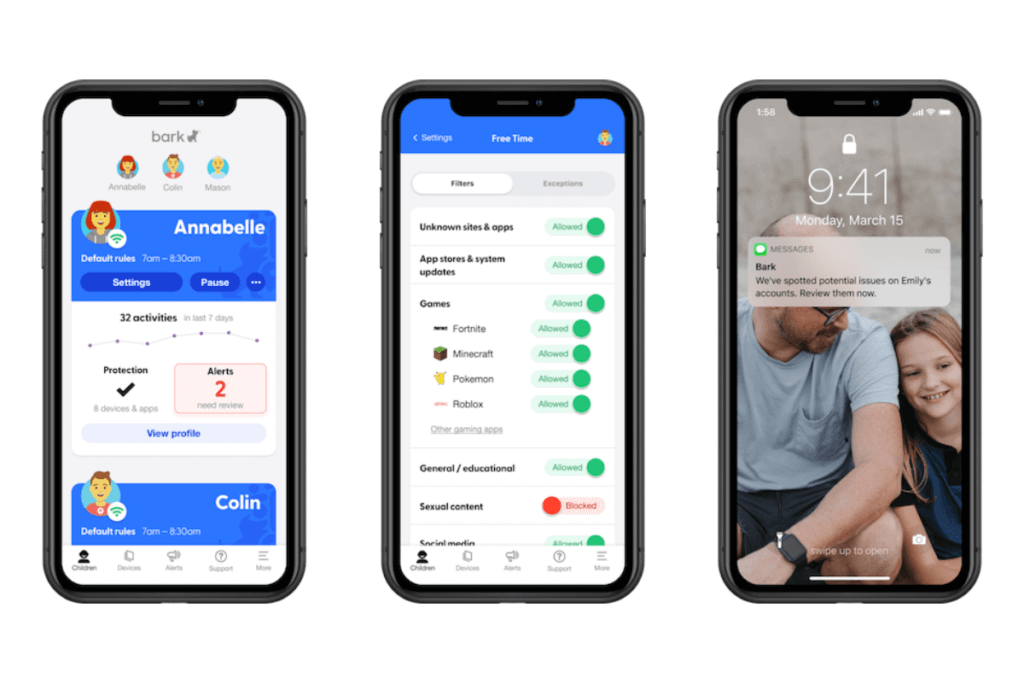
Bark is one of the best parental control apps available today. However, because it doesn’t offer a free version, it’s only available in three languages, and its location services aren’t as advanced as Qustodio or Life360, it didn’t make our top spot. However, in all other areas like web filtering, email and text monitoring, and social media monitoring, Bark excels.
Bark Features
- Social media monitoring
- Manage screen time
- Web filtering
- Text and email monitoring
- Location check-ins
Norton Family
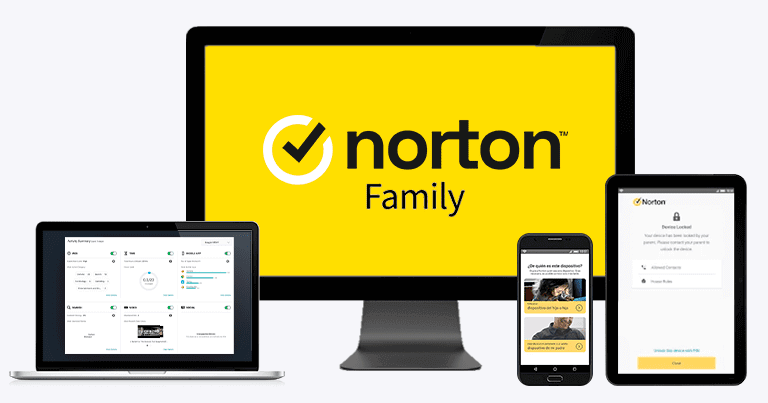
While Qustodio is good for Android users, we like that Norton also offers antivirus packages and can give device users better cybersecurity coverage in addition to parental control software features. Norton has been around for more than 30 years and is one of the best and most trusted antivirus software companies out there.
Norton Family Features
- Location tracking, geofencing, and check-in features
- Screen time schedules
- Website Filtering
- App blocking
- View search terms and web use
- Device locking
- Mobile App Supervision
Life360

If your child is always out of the house for sports practice, drama rehearsals, coffee shop study groups, or visiting friends, you need a parental control app with strong location services and remote support like Life360.
Parents add family members to their “Circle” and can track their child’s location, get alerts about driving and digital safety, and have peace of mind that their child can get emergency assistance when they need it.
Life360 Features
- Location services
- Driving safety
- Digital protection
- Emergency Assistance, including stolen phone protection
- Group and track family in Life360’s Circle
- Real-time alerts to know where your family is going
OurPact
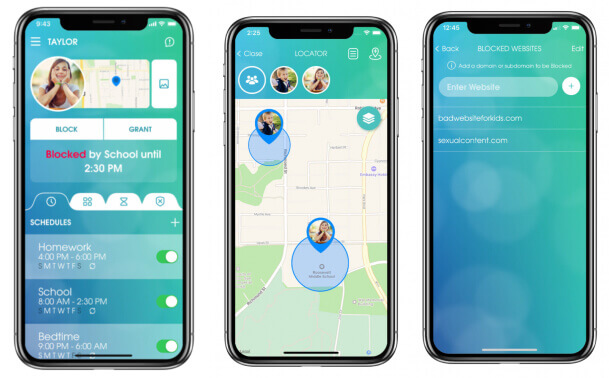
The OurPact parental control app specializes in customizable screen time control features for your whole family on iOS and Android devices. Parents can block certain apps while allowing their children easy access to approved apps for educational purposes.
We also like it because it has a good swath of other parental control settings, too.
Conclusion
In conclusion, choosing the right parental control app for Android devices depends on your specific needs, whether it’s basic screen time management or more advanced monitoring features. Free parental control apps can be a great starting point, offering essential tools like website blocking, app restrictions, and activity reports to help parents guide their children’s digital behavior.
However, for those seeking more comprehensive insights, premium solutions such as mSpy, eyeZy, and Spynger provide enhanced capabilities. These tools go beyond basic controls by offering features like detailed activity tracking, social media monitoring, and location tracking, giving parents a deeper understanding of how devices are being used.
Ultimately, the best choice is one that balances safety, usability, and privacy. By selecting the right combination of tools, parents can create a safer digital environment while encouraging responsible and healthy technology use for their children.
How useful was this post?
Click on a star to rate it!
Average rating / 5. Vote count: