Instagram messages turning black can be confusing, especially when the rest of the app appears to work normally. Many users first notice this issue in Direct Messages, where chat backgrounds suddenly switch to black or dark gray, making conversations look different from what they’re used to. While it may seem like a glitch at first, black Instagram messages are often linked to specific features, settings, or recent updates rather than a serious technical problem.
Over the past few years, Instagram has introduced several visual and messaging upgrades aimed at improving the user experience. These include dark mode, themed chats, vanish mode, and integration with Facebook Messenger. Each of these features can change how your messages appear, including background colors and text styles. As a result, users may think something is wrong when, in fact, a visual setting has simply been enabled automatically or applied during an update.
In some cases, black messages appear because Instagram’s dark mode is turned on at the system or app level. On other occasions, it may be caused by chat themes, vanish mode, or temporary bugs after updating the app. Device settings, display modes, and even accessibility options can also affect how Instagram messages look, particularly on Android and iOS devices with system-wide dark themes.
Understanding why your Instagram messages are black is the first step toward fixing—or accepting—the change. Whether you prefer a lighter chat interface or want to keep the darker look for comfort and battery savings, Instagram gives users more control than many realize. In this guide, we’ll break down the most common reasons behind black Instagram messages and show you how to adjust your settings to restore your preferred chat appearance or confirm that everything is working exactly as intended.
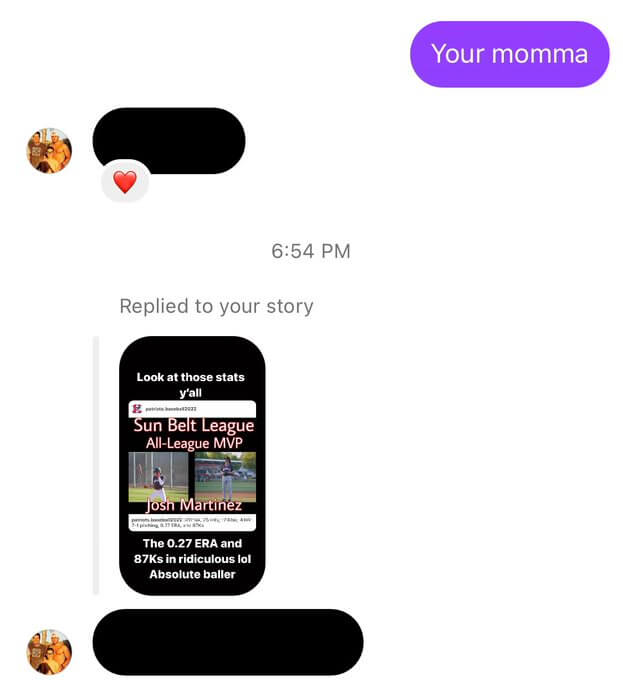
So here are the main reasons why you see black messages on Instagram
Instagram is down
The main reason why you see black messages on Instagram is because of Instagram’s down status. You can check it in the news section of Google or using the downdetector.com website.
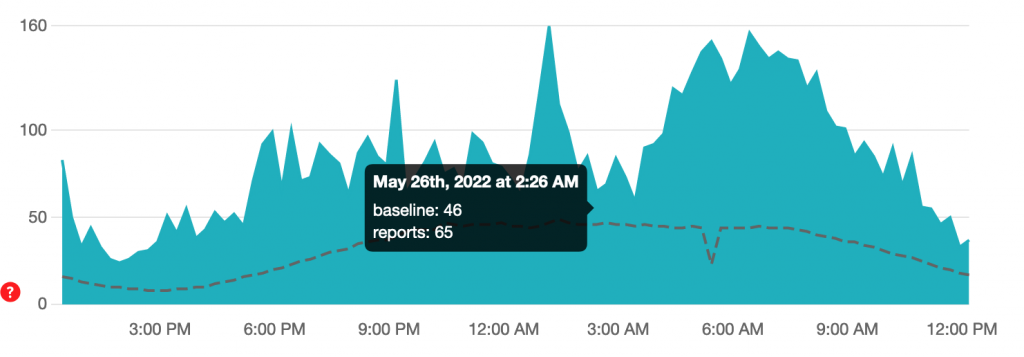
If Instagram is down, most probably it will be in Google News, or there will be an increase in the chart as below:

Spy on Facebook, WhatsApp, Instagram, Snapchat, LINE, Telegram, Tinder and other social media apps without knowing; Track GPS location, text messages, contacts, call logs and more data easily! 100% safe!
Instagram is down, according to downdetector.com
If this is the case, you should wait for a couple of hours for Instagram to fix it. You cannot do more about it, only wait.
Your Instagram app is not updated
It is highly recommended to keep your app updated, so you can enjoy the new features and fewer bugs and issues on Instagram. To check if you are using the latest version, you should visit the Google Play Store or App Store (for iPhone users).
If you see the “Update” blue button beside the Instagram icon, you need to update it. Once you do, you see the “Open” button. It means you are using the latest version.
Instagram is adding new features
Some of these errors, such as login issues or message issues, happen when Instagram adds some new features to its app. So, you need to update your Instagram app. If you should send something, you can use Instagram on your PC.
Tips for Instagram Direct Messages
Improve engagement and brand awareness with your targeted audience.
Make brand awareness
Its smart features, always available, except when it has been turned off, help marketers to increase customer awareness.
Automated direct message
Another tool that can help you send Direct Messages is the Instagram Bulk Message Sender Bot, which is a product of the Virtual User website. This bot has several features, such as “Sending text messages and forwarding messages, extracting IDs from Followers of a page, etc. Refer to the Virtual User website for more information.
Acquire valuable customers
Turn your normal Instagram followers into valuable customers by providing your whole product.
Conclusion
Instagram messages appearing black is usually related to visual settings rather than a serious error. Features like dark mode, chat themes, vanish mode, or recent app updates can change how your messages look. In some cases, system-wide display settings on Android or iOS may also affect message colors. Once you understand what caused the change, it’s easy to adjust your preferences. By checking Instagram’s chat settings or your device’s appearance options, you can either restore the original message style or keep the dark look if it feels more comfortable.
How useful was this post?
Click on a star to rate it!
Average rating / 5. Vote count: