The internet is more than just a source of information—it has become a central space for communication, interaction, and self-expression. Through social media apps like Instagram, Facebook, and TikTok, people can connect with others across different cultures and backgrounds instantly. These platforms now play a major role in everyday life, especially for younger users.
However, children often use social media primarily for entertainment, which can lead to excessive screen time and exposure to content that may not be appropriate for their age. Without proper boundaries, this can affect their focus, behavior, and overall well-being.
That’s why setting up parental controls on social media apps is essential. These tools allow parents to manage screen time, adjust privacy settings, and filter content, helping children develop healthier digital habits. By taking early action, parents can guide their kids toward safer and more balanced use of social media.
Top Social Media Apps
There are a handful of social media apps roaming the social media streets, all with a different approach to social communications. However, certain top social media apps take a huge chunk of the overall social media fan base compared to their not-so-prominent social media counterparts.
Some of these top social media apps include:
As you might have guessed, Facebook is one of the top social media apps available today. This large social media site that was born in a University dormitory has since inception grown to be one of the biggest and probably addictive social media apps with over 1 billion user accounts, which is 1/7th of the world population.
This Social Media app has widely become one of the most commonly and frequently used apps due to its easier communication methods. It has revitalized mobile phone texting and has replaced the conventional SMS method.
X(Twitter)
X(Twitter) is another wide convergence of people from far and wide in a single online community, talking and writing about trending topics with varying views and perspectives.
Snapchat
Snapchat has revolutionized the sharing of everyday human activities by giving room for users to express and post their everyday life, thoughts, and status in the form of a temporary upload for their friends and families to see and, at the same time, comment about by using direct messaging.
Instagram is one of the quickly growing social media apps that can easily become addictive for non-cautious users. It allows users to upload media files in terms of pictures and videos, for their followers to comment on, and also send direct private messages or even create a Live video.
Set Parental Controls on Social Media Apps
It is an unequivocal fact that the use of social media can sometimes get addictive and prove to be time-consuming. Top Social media apps have been proven to exert a magnetic effect on both the young and old, with a few sets of people being able to resist the charm it carries along.
It is said that “Time Flies When you are having fun”, trust me, the use of social media apps is no exception from this golden rule. We could say it consumes a lot more time than we can imagine. Social media apps require some level of self-discipline and control to avoid addiction or distraction. Since kids are just a young generation with developing mental and psychological health, it might be difficult for them to put themselves in check. Kids these days spend a significant percentage of their free time surfing and browsing through their social media platforms. They require adequate monitoring on the part of their parents to be able to keep a lid on their social media activities to avoid the act of addictive clinging to their mobile phones or increasing the risk of moral and mental decadence.
Parents ought to adopt the use of parental control apps and settings to keep an eye on their children’s social media activities, whether or not they are with them.
mSpy – the Best Parental Control app for Android and iPhone, which is designed for parents who feel the need to keep a cautious eye on their children’s online activities in terms of Social media app usage. mSpy is a mobile application program for all parents to monitor, control, and instill discipline in the mobile phone usage of their kids.
mSpy is simple and easy to set up for parents on both their phones and the kids they wish to monitor. Here are a few steps to set up mSpy to control the use of social media apps on their children’s phones.
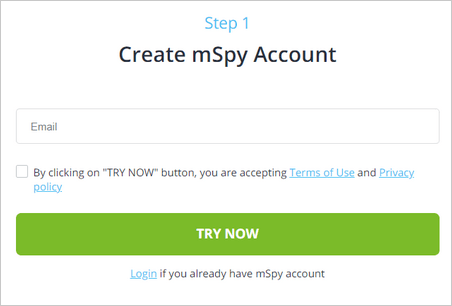
Step 1: Register or Sign up for a mSpy Account
You can now sign up for a free mSpy account. Simply click on “Register” and then input all the requested information accordingly.
Step 2: Set up mSpy
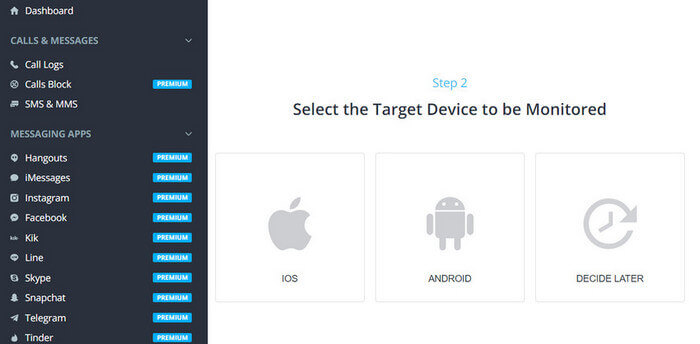
mSpy is readily available for download across the two major smartphone operating systems, Android and iOS. After installing the mSpy app, you can complete the setup process.
Step 3: Start Monitoring
After a successful installation of mSpy, log in to your mSpy account. You can set up parental controls now:
- Block the social media apps: Facebook, WhatsApp, Instagram, Snapchat, YouTube, Twitter, LINE, Telegram, Skype, Kik, Viber, TikTok, and more.

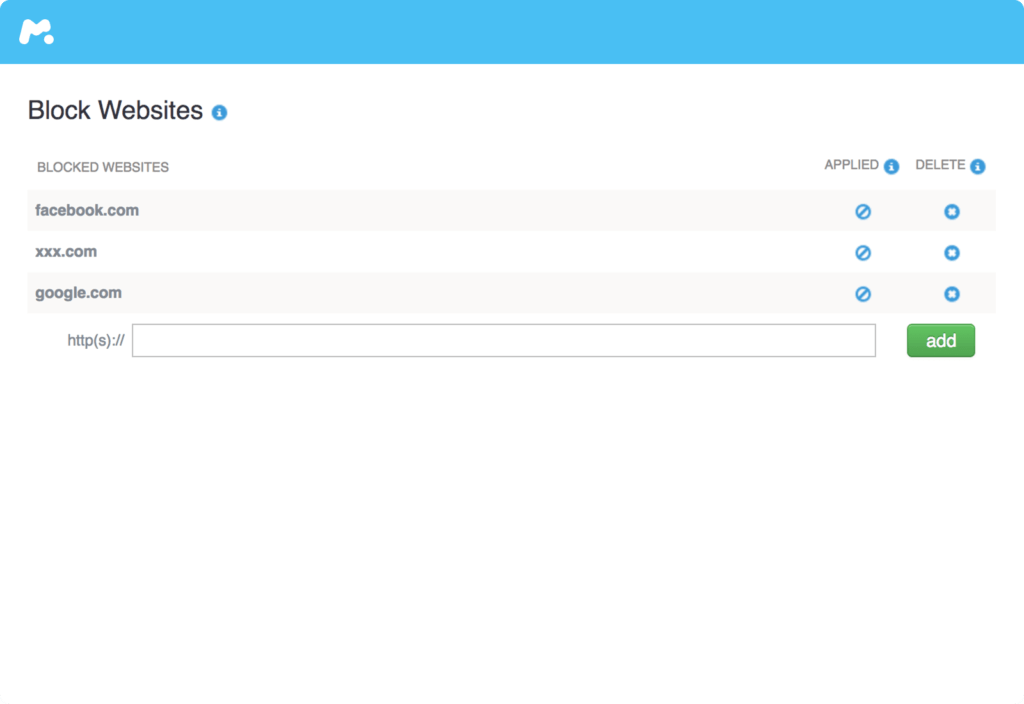
- Block the unsafe websites
- Track the GPS location
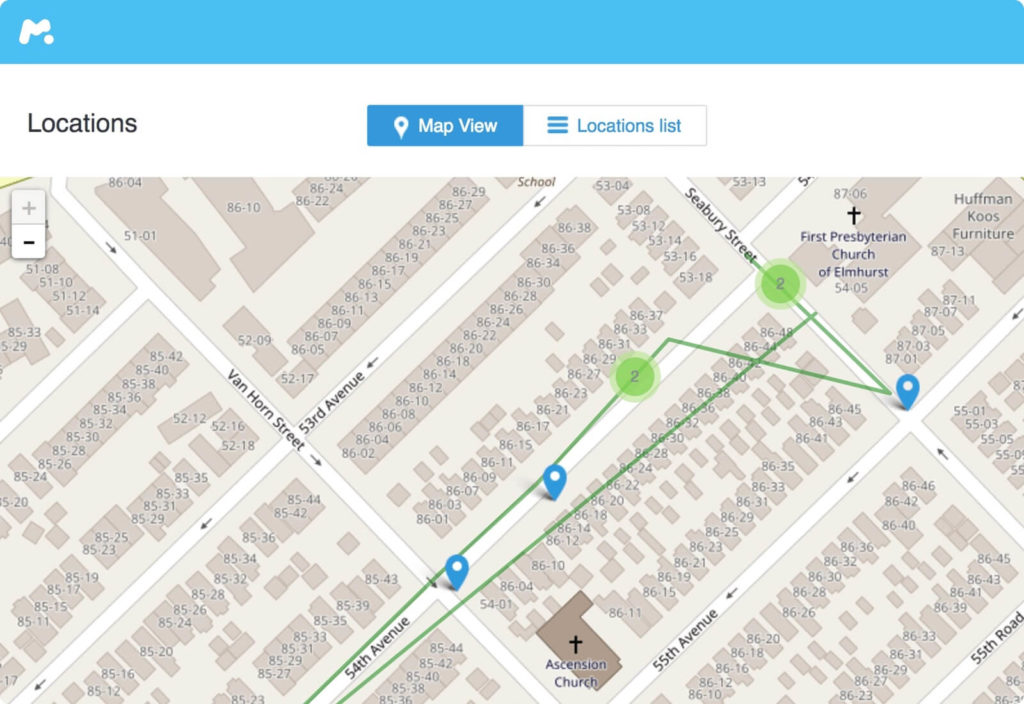
- Set up Geo-Fencing

- Spy on social media messages

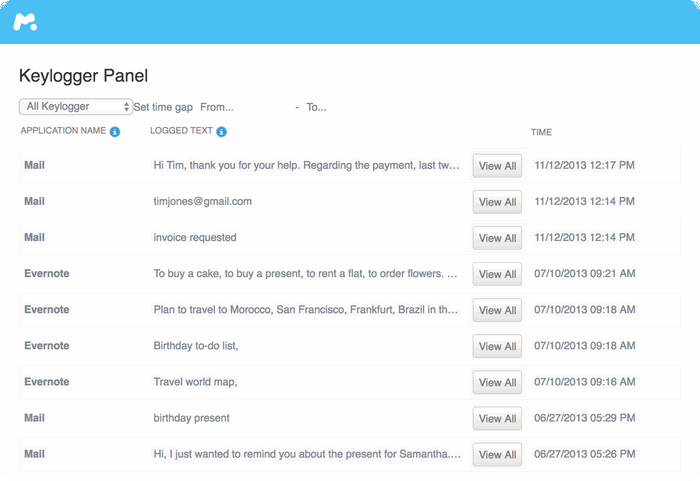
- Key logger
Conclusion
In conclusion, setting up parental controls on social media apps is essential for helping children navigate the online world safely. While platforms offer entertainment and connection, they also expose young users to potential risks such as inappropriate content, excessive screen time, and unwanted interactions. By using the right tools, parents can create a more secure and balanced digital environment.
Among the available solutions, mSpy stands out as a comprehensive parental control app. It enables parents to monitor social media activity, track screen time, and gain insights into how their children use different apps. This level of visibility allows for timely guidance and better decision-making when it comes to managing online behavior.
Ultimately, parental controls are not just about restriction—they are about protection and education. By combining reliable tools like mSpy with open communication, parents can help their children develop responsible digital habits while staying safe on social media platforms.
How useful was this post?
Click on a star to rate it!
Average rating / 5. Vote count: