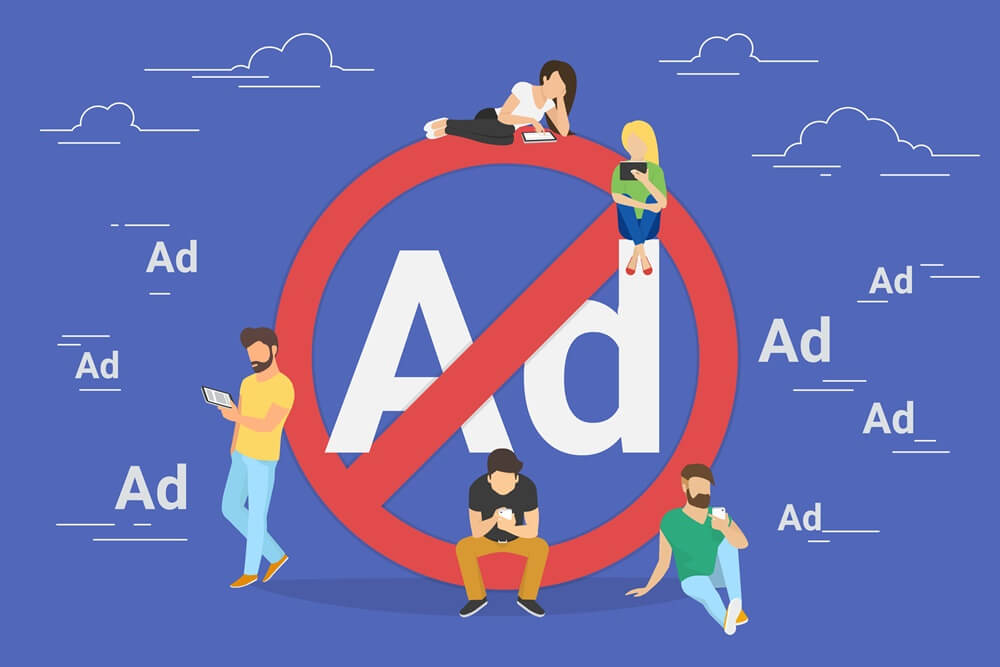
One of the hallmarks of the new generation is “THE FREE WEB”. However, using the internet for free has its significant drawbacks. One of the biggest drawbacks of a free web is the annoying advertisements that pop up every time when you connect to the internet. These advertisements sometimes contain links to unhealthy adult or illegal sites. In order to block these ads from showing up on your computer screens, you need to adjust the settings of your Chrome browser or install ad blockers. Ad blockers will perform two important functions for you, which are as follows:
・広告ブロッカーは、画面に不適切な広告が表示されるのを防ぎます。
・広告ブロッカーはあなたのプライバシーを保護します。
こうした不要で見苦しい広告をなくしたいなら、この記事を読み進めてください。
Chromeでポップアップ広告を停止する方法は?
インターネットユーザーであれば、世界中の人々と同じように、オンライン広告にうんざりしていることでしょう。オンライン広告はしばしば無礼で非倫理的です。ソーシャルメディアからスマートフォンのアプリ、Google Chromeに至るまで、あらゆる場所に表示されます。これらのポップアップ広告をなくしたいなら、Chromeブラウザの設定をいくつか変更するだけで済みます。その前に、Chromeブラウザの設定でポップアップ広告ブロック機能が有効になっていることを確認することが重要です。Chromeブラウザで広告のポップアップを停止するには、次の手順に従ってください。
1. Chromeブラウザを開きます。
2. 右上隅にある3つの点のボタンをクリックします。
3. ドロップダウンメニューを開き、「設定」をクリックします。
4. 下に移動して「詳細設定」ボタンを押します。
5. 「コンテンツ」を押して、メニューから「ポップアップ」を選択します。
6. 「ブロック済み」に切り替える
7. 必要に応じてホワイトリストに登録された URL を追加します。
Now, you can relaunch your Chrome browser, log in Facebook or Youtube. If you can not see any ads, it means that you successfully
Facebookで広告をブロックする
and remove ads on Youtube as well.
How to Remove Ads on Chrome Completely with AdGuard?

One of the best ad blockers available on the market is AdGuard この拡張機能は、Chromeブラウザで不要なオンライン広告をブロックするために設計された無料の広告ブロッカーです。AdGuardは、ブラウザにポップアップ表示されるオンライン広告を完全にブロックするのに役立ちます。
AdGuardを使ってChromeの広告を完全に削除する手順
Using AdGuard to block ads on the chrome browser is very easy. All you need to do is follow these simple steps.
ステップ1. AdGuard拡張機能をダウンロードする
AdGuardの公式サイトにアクセスし、AdGuard拡張機能のダウンロードリンクを探してください。リンクをクリックすると、拡張機能のダウンロードが自動的に開始されます。ダウンロードが完了したら、ダウンロードバーにある「実行」ボタンをクリックしてください。または、adguardInstaller.exeファイルを直接クリックしても構いません。その後、ユーザーアカウント制御のダイアログボックスが表示され、拡張機能がコンピュータに変更を加えることを許可するかどうかを尋ねられます。「はい」ボタンをクリックしてください。
ステップ2.AdGuardのインストール
Read the License Agreement before installing the program. Once you have gone through all the terms and conditions, press the install button present in the middle of the window.
拡張機能をインストールするシステム上のフォルダを選択してください。デフォルトのインストールパスに同意しない場合は、右側にある […] ボタンをクリックしてください。「フォルダの参照」ウィンドウに表示されている Ad Guard のインストールフォルダをクリックします。オプションを選択し、「OK」をクリックして確定します。次に、「次へ」を選択して拡張機能のインストールを続行します。
AdGuardは、「新規フォルダを作成」オプションをクリックすることで、新しいフォルダにインストールすることもできます。フォルダ名は自由に設定できます。また、デスクトップにAdGuardのショートカットを作成することも可能です。
ステップ3.広告ブロックを開始する
拡張機能のインストールが完了したら、「完了」をクリックしてください。おめでとうございます!これで、不適切なオンライン広告がパソコン画面にポップアップ表示される心配はなくなります。
Why should you choose AdGuard for blocking unwanted ads?
There are several free ad blockers available over the internet. In order to get the best results, you should choose the right one.
AdGuard拡張機能
AdGuardは、Chromeブラウザ用の無料広告ブロッカーです。世界中のインターネットユーザーから信頼されています。不要な広告を削除するためにAdGuardをインストールすべき理由をいくつかご紹介します。
1. 安全に使用できます
AdGuard keeps your privacy intact by improving the security of your system. This ad blocker isn’t just an ideal blocker of unsightly video ads and banners. It also performs an anti pop up function that removes the most irritating advertisements. Apart from that, AdGuard keeps your system safe from an online threat like malware as well as phishing sites. It also enables you to read the security report before clicking on any site using the extension button available on the toolbar. It also enables you to submit complaints about suspicious websites.
2. Simple to use
AdGuardは、あらゆる広告要素を排除することで、ユーザーの安全を守ります。使い方は非常に簡単で、誰でも簡単に設定できます。設定画面で、自分にとって有益な広告の表示を許可または拒否できます。頻繁にアクセスする信頼できるウェブサイトについては、独自のホワイトリストを作成できます。こうすることで、お気に入りのコンテンツがAdGuard拡張機能によってブロックされるのを防ぐことができます。
3. 非常に速い
AdGuardはメモリをあまり消費しません。幅広いデータベースを備えています。この拡張機能は、市場に出回っている他の一般的な広告ブロック拡張機能と比べて、比較的高速に動作します。
4. 無料
The best thing about AdGuard is that this ad blocker for Chrome can easily be downloaded for free and is available in the Chrome Store.
結論
インターネットユーザーの大多数はオンライン広告を嫌っています。彼らはChromeのポップアップ広告をどうやって削除するかを常に考えています。もしあなたがその一人なら、心配しないでください。Chromeブラウザの設定を変更するか、広告ブロッカーをインストールするだけで済みます。最も高速で使いやすく、無料の広告ブロッカー拡張機能の1つは AdGuard この拡張機能は、煩わしいオンライン広告のポップアップ表示がなく、安全かつ快適なブラウジング体験を提供します。
この記事はどれくらい役に立ちましたか?
星をクリックして評価してください!
平均評価 / 5. 投票数: