Kubasebenzisi abaningi, i-Instagram ingaphezu nje kwesikhulumi sezokuxhumana nabantu—iyidayari yedijithali, ithuluzi lebhizinisi, futhi iyingxenye ebalulekile yokuxhumana kwansuku zonke. Ngakho-ke lapho i-akhawunti yakho inyamalala ngokuzumayo, noma uthola umlayezo othi i-akhawunti yakho ye-Instagram isusiwe “ngaphandle kwesizathu,” kungaba sengathi kuyashaqisa. Abasebenzisi abaningi babika ukuthi bavuka bazithola bephumile, bengakwazi ukufinyelela amaphrofayela abo, noma baziswe ukuthi i-akhawunti yabo isusiwe ngenxa yokwephula imigomo ababengayazi. Nakuba kungase kubonakale sengathi i-Instagram isuse i-akhawunti yakho ngaphandle kwesixwayiso, ngokuvamile kunesizathu ngemuva kwayo—noma kungacaci ngokushesha. Lezi zizathu zingasukela ekuphoqelelweni kwenqubomgomo okuzenzakalelayo kuya emibikweni engamanga noma ekuziphatheni kokungena okungavamile okubangele izinhlelo zokuphepha ze-Instagram.
In this guide, we’ll break down the most common reasons why Instagram might delete or disable an account, even when it seems unintentional or unfair. We’ll also walk you through the steps to appeal the decision, recover your account if possible, and take preventive actions to avoid this issue in the future. From community guidelines violations and spam-like behavior to technical glitches and third-party app interference, we’ll help you understand what’s going on behind the scenes. Whether you’re a content creator, influencer, or someone who simply loves using Instagram, this article will give you the knowledge and tools to deal with an unexpected account deletion and minimize your chances of facing it again.
Why does Instagram delete accounts without notice?
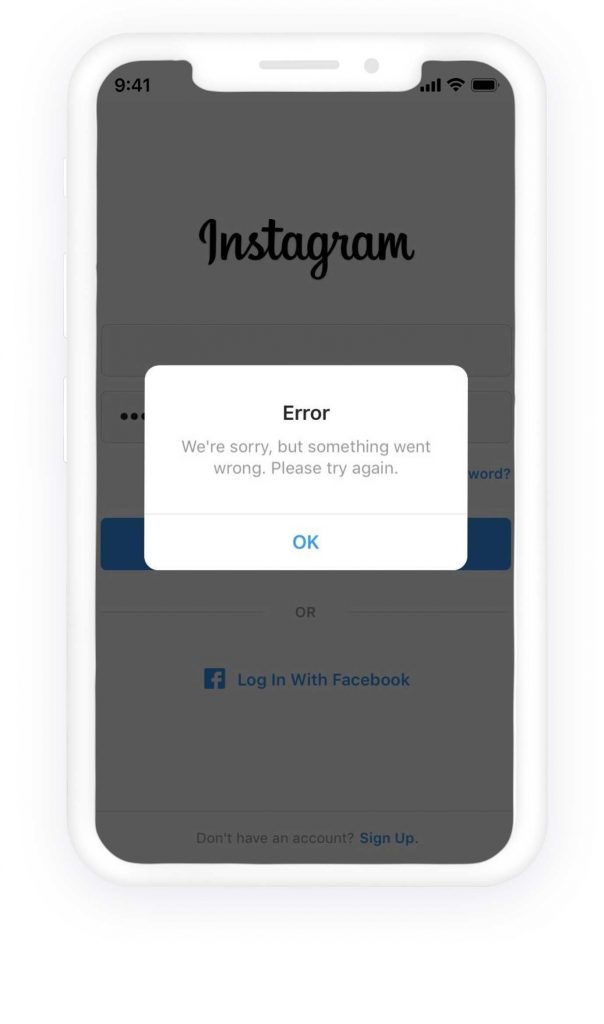
There could be many reasons why Instagram deletes or disables accounts. For example, being inactive for a long time, getting reported by others, or violating Instagram’s terms and conditions. Once you log in, you might face some errors such as “Your account has been disabled”, “We’re sorry, something went wrong”, or even an error like “username not found”.
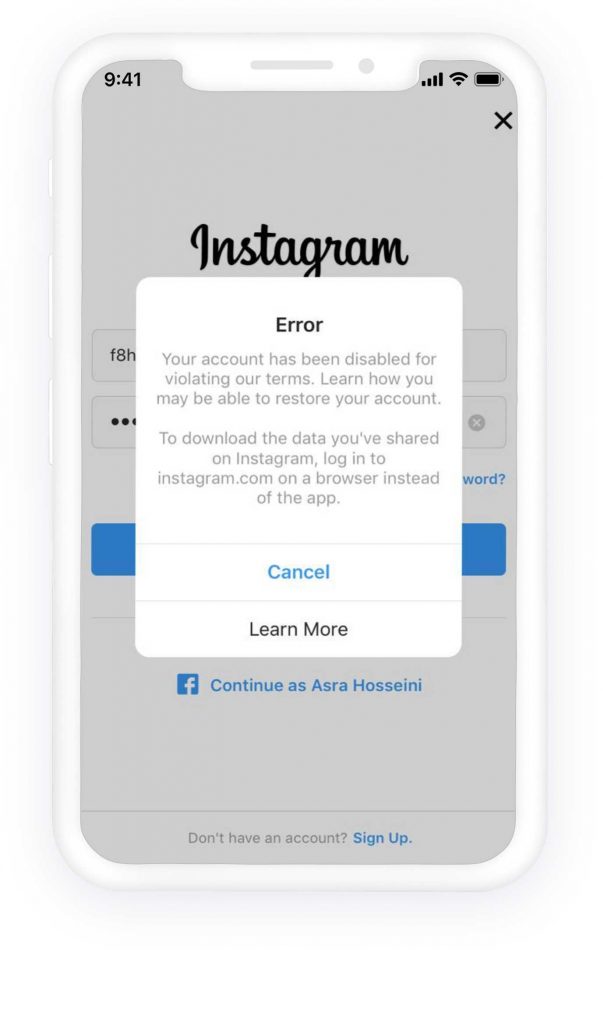
Ezimweni eziningi, kuzothunyelwa noma yisiphi isaziso ukubonisa abanikazi bama-akhawunti isexwayiso sokuthi ama-akhawunti abo asengozini yokukhutshazwa noma yokususwa. Kodwa-ke, kusukela ngo-18 th July 2019, Instagram has changed its disabling policies, and if they detect someone is violating their terms and conditions, they will notify them about the closure of the account.
Note that many of the removed accounts were business accounts with hundreds of hours of work and effort. Creating so many connections, likes, comments, and posts, and losing suddenly all of these, makes any user unhappy. Many of these account holders want their accounts back, and since Instagram has no telephone support, this issue might cause many users to be frustrated. Many of them have no hope of taking their accounts back, any desire to create a new account, or even recommend Instagram to others. Because there is no guarantee of having an account forever, it feels like they have no control over their account.
How to recover your deleted or disabled Instagram account?
Hopefully, there are ways to get your accounts back if Instagram has deleted them. In their notice on 18 th July 2019, Instagram announced that they would give opportunities to their user to appeal if they think that they didn’t violate Instagram policies. To do so, you need to request help through the help center and submit a report, and Instagram’s auto-response email will ask you for some extra information about your account.

Spy on Facebook, WhatsApp, Instagram, Snapchat, LINE, Telegram, Tinder and other social media apps without knowing; Track GPS location, text messages, contacts, call logs and more data easily! 100% safe!
Ku-Android:
- Esikrinini sokungena ngemvume, ungabona okuthi Thola usizo lokungena ngemvume ngaphansi kwesithonjana sokungena ngemvume. Faka igama lomsebenzisi, i-imeyili, noma inombolo yocingo, bese uthepha Okulandelayo. Uma ukhohlwe igama lakho lomsebenzisi, ungalithola kabusha ngokusebenzisa don’t know your username .
- Tap My login info isn’t working, then follow the on-screen instructions.
Ku-iOS (i-iPhone):
- Tap Forgot password on the login page
- Ngezansi kwesixhumanisi esithi Thumela Ukungena, ungabona ukuthi Ulwazi lwami lokungena alusebenzi. Thepha kulokho bese ulandela imiyalelo
- Make sure that you have entered the correct email address to which you have access. Once you submit the report, Instagram will send you an email regarding your request and ask you to provide some more information.
One of the verification methods is sending a photo of the account owner holding a paper with a handwritten code that Instagram would provide. The other way to verify the account is by sending the email address or phone number a person signed up with, along with the type of device they used at the time of sign-up (e.g., iPhone, Android, iPad, or other). Instagram will consider and send a link with account recovery instructions, through which you can log in to your account. The message is like this:
“Hi, I-akhawunti yakho iphinde yavuselelwa, futhi kufanele ukwazi ukuyifinyelela manje. Siyaxolisa ngokuphazamiseka. Uma uneminye imibuzo, sicela uvakashele i- Help Center .”
Ungase futhi uhoxise ukufinyelela kunoma yiziphi izinhlelo zokusebenza zezinkampani zangaphandle bese uzama inqubo. Abasebenzisi abaningi babika ukuthi ekugcineni bangase bathathe ama-akhawunti abo.
Isiphetho
If Instagram deleted your account “for no reason,” it usually means the system flagged something as a potential violation or security risk, even if you didn’t do anything intentionally wrong. First, don’t panic—accounts are often disabled automatically and can be reviewed. As mentioned, you can try basic recovery steps such as using Forgotten Password, logging in via Facebook/Meta, and carefully re-entering your username or email to rule out simple login mistakes.
If these attempts fail, the next essential step is to submit an appeal or report your account as disabled by mistake through Instagram’s Help Center. Provide accurate information and be ready to complete security checks such as identity verification. As long as your account wasn’t permanently banned for serious violations, many users successfully regain access after review.
Kuwukuhlakanipha futhi ukucabanga ngezinto ezingaba khona: ukusebenzisa amathuluzi okuzenzakalelayo, ukwephula izinkombandlela zomphakathi, ukulandela/ukungalandeli ngobuningi, izinkinga ze-copyright, ukusetshenziswa kwamagama mbumbulu, ukubuyiselwa kwemali ezikhangisweni, noma izixwayiso zenqubomgomo eziphindaphindwayo. Ukususa ukufinyelela kuzinhlelo zokusebenza zezinkampani zangaphandle ezisolisayo, ukuqinisa iphasiwedi yakho, nokuvumela ukuqinisekiswa kwezinto ezimbili kungasiza ekuvimbeleni izehlakalo zesikhathi esizayo futhi kubonise ukuthi i-akhawunti yakho iphephile.
Finally, patience matters. Reviews may take time, and multiple appeal submissions won’t speed it up. Keep your recovery email and phone number active, check spam folders for Instagram replies, and avoid creating many new accounts during the process. By following the steps above—verifying your identity, appealing calmly, and improving account security—you give yourself the best chance to restore your account and reduce the risk of unexpected deletions in the future.
Bekuwusizo kangakanani lokhu okuthunyelwe?
Chofoza inkanyezi ukuze uyilinganisele!
Isilinganiso esimaphakathi / 5. Inani lamavoti: