Crunchyroll, a popular video streaming website, provides a large number of video resources for entertainment. Although Crunchyroll provides premium services (like skipping the ads for having fluent video playback) for people to enjoy high-quality video content online, some users still want to play Crunchyroll videos offline when there is no Internet connection. So this article will introduce the top 3 ways to download Crunchyroll videos quickly. Now, follow me and get started reading!
Best Crunchyroll Video Downloaders for Windows/Mac
ონლაინ ვიდეოების ჩამომტვირთავი
ონლაინ ვიდეოების ჩამომტვირთავი is a reliable video downloader running with high speed to download Crunchyroll videos easily. Besides, Online Video Downloader also holds powerful ability, which allows people to download videos from more than 1000 websites, including YouTube, Facebook, and so on to offline video files with the best quality (reaching 8K at max).
მახასიათებლები
- User-friendly UI
- Faster downloading speed
- Efficient downloads by batches
- Extracts audio from video to MP3 format
- Best video and audio quality to output content
- Safe downloading environment
Step 1. Install Crunchyroll Video Downloader
Download Online Video Downloader software after going to its official web page. When the Online Video Downloader is installed, open it to enter the main interface of the downloader.
უფასო ჩამოტვირთვა უფასო ჩამოტვირთვა
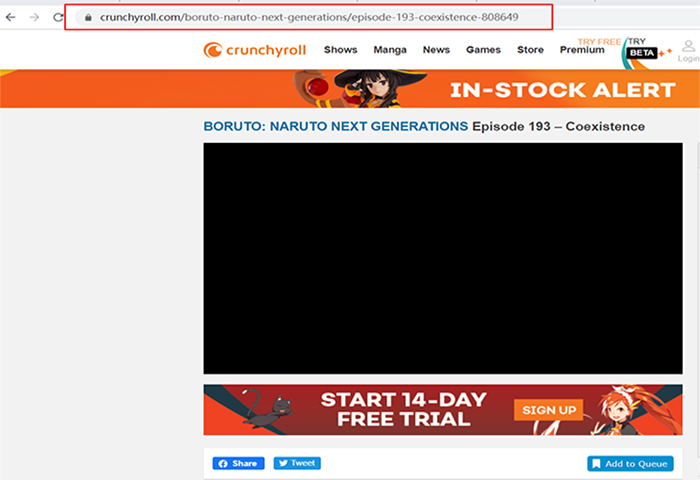
Step 2. Copy Crunchyroll Video Link
Open your web browser to go to Crunchyroll. When you find the Crunchyroll video you need to download it offline and copy its URL from the address bar on top.
შენიშვნა: When we try to screenshot this picture, the video will automatically turn black due to the protection. But even so, Online Video Downloader can download it without hassle.
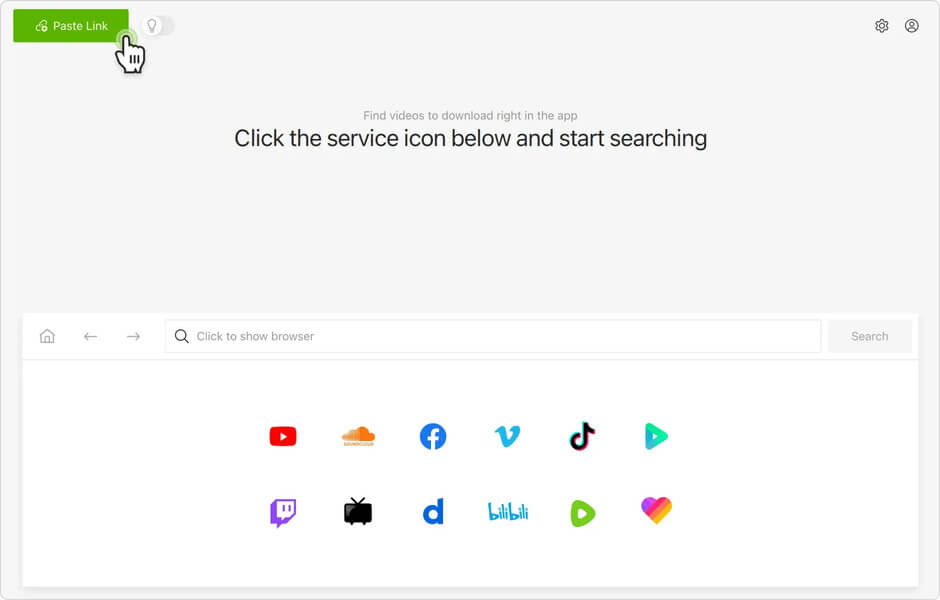
Step 3. Input Video Link of Crunchyroll
With the Crunchyroll video URL, go back to Online Video Downloader and paste the URL into the download bar. You should press the “Analyze” icon to start converting the Crunchyroll video.
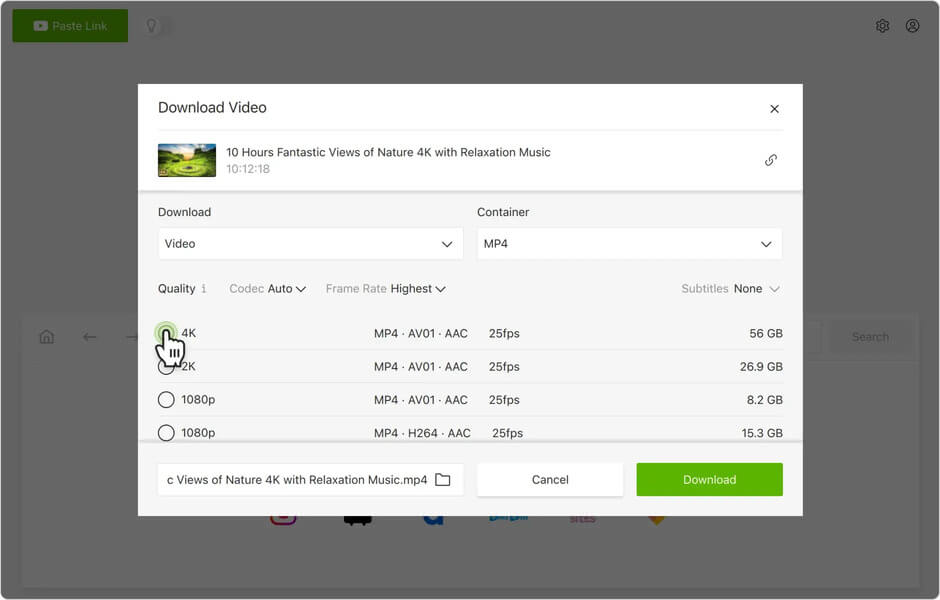
Step 4. Select Video Format and Quality
When Online Video Downloader finishes converting the Crunchyroll video, there will be a window popping up to let you select the output format as well as quality. Choose MP4 to download in video and MP3 in audio. If the video has subtitles, there will be options allowing you to save the subtitle file too. After selecting, press the “Download” button to proceed.
Step 5. Finish Crunchyroll Video Download
After clicking the “Download” button, ონლაინ ვიდეოების ჩამომტვირთავი will start to save the Crunchyroll video offline to your computer. Wait for a short time and you can get the downloaded result in the “Finished” section.
უფასო ჩამოტვირთვა უფასო ჩამოტვირთვა
4K ვიდეოს ჩამომტვირთავი
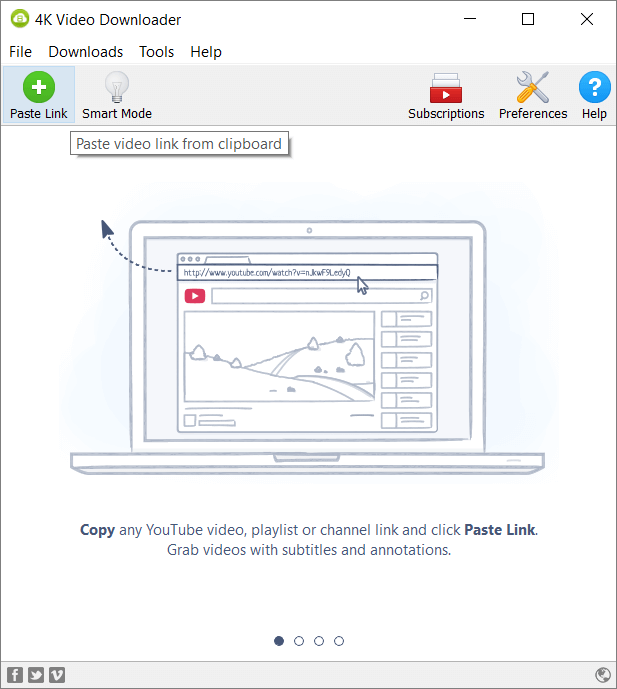
4K ვიდეოს ჩამომტვირთავი is a completely free software providing a powerful video downloading service. It can be used to download videos from many different websites such as Crunchyroll, YouTube, Facebook, and so on. But a shortcoming of this free tool should be the fact that it would add a watermark to every downloaded video. To avoid this, you still have to pay for getting its upgraded version.
უფასო ჩამოტვირთვა უფასო ჩამოტვირთვა
მახასიათებლები
- Supports capturing videos from various sites
- Saves online content in MP4, WebM, 3GP, Flash FLV formats
- Provides proxy service to unblock video
ByClick Downloader
ByClick Downloader is another desktop software used for downloading online videos from websites. It can also download Crunchyroll videos easily. Besides, ByClick Downloader is strictly maintained in virus-free condition, so people can completely trust the software and use it safely. Unexpectedly, ByClick Downloader only supports the Windows system, and Mac users would fail to enjoy its convenient video downloading service.
უფასო ჩამოტვირთვა უფასო ჩამოტვირთვა
მახასიათებლები
- Supports downloading YouTube playlists/channels
- Supports batch download
- Takes snapshots at any time
Extra Tips – Other Ways to Download Crunchyroll Videos
Instead of downloading extra software to download videos from Crunchyroll, people may also consider a method without the need to use a third-party tool. For example, for Windows 10 users, the built-in tool named Game Bar can record the computer screen freely and conveniently. Here, it shows you how to use it.
ნაბიჯი 1. You should enable the Game Bar at first if you are the first time to use it or you have disabled it before. You should go to “Settings”, find the “Gaming” option, and then open the “Game bar”. Find the “Record game clips, screenshots, and broadcast using Game Bar” and turn it on here.
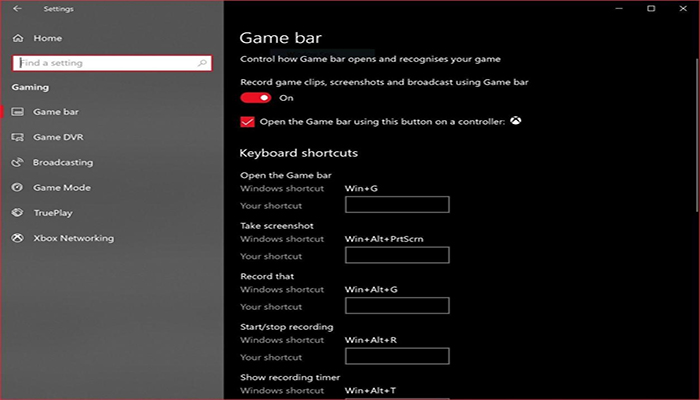
ნაბიჯი 2. When the Game Bar is enabled, open the Crunchyroll video you are ready to record. Then press the “Windows” + “G” icons to launch the Game Bar recorder.
ნაბიჯი 3. Start recording the Crunchyroll video by pressing the record icon. When finished, also tap it to stop the recording.

ნაბიჯი 4. After the recording completes, the file will be saved to your computer automatically.
დასკვნა
Comparing these 3 Crunchyroll video downloaders and the recording method, selecting ონლაინ ვიდეოების ჩამომტვირთავი would be more competitive (with high quality, faster speed, and time-saving). ByClick Downloader is only available on the Windows system, while 4K ვიდეოს ჩამომტვირთავი will add a large watermark to the downloaded videos, affecting the video playback experience largely.
As a result, if you are looking for an efficient and faster way to download Crunchyroll videos, don’t hesitate, Online Video Downloader would be the best choice for you!
უფასო ჩამოტვირთვა უფასო ჩამოტვირთვა
რამდენად სასარგებლო იყო ეს პოსტი?
შესაფასებლად დააწკაპუნეთ ვარსკვლავზე!
საშუალო რეიტინგი / 5. ხმების რაოდენობა:

![[2024] როგორ გადმოვწეროთ PornZog-ის ცენზურის გარეშე ვიდეოები](https://www.getappsolution.com/images/download-videos-from-pornzog-390x220.png)