
We know that YouTube is pretty strict about its stance on only allowing users to watch videos on its website online. On the YouTube website, you can’t find a download button to help you download YouTube videos directly. But there are always some cases that need to download videos from YouTube. For instance, you may need to watch YouTube videos offline when there’s no access to an internet connection.
This is the problem we talk about today. Because of this restriction, as we mentioned previously, some YouTube video downloaders can help you solve this problem. Now let’s see the guide below and see how we can download videos from YouTube.
Best YouTube Video Downloader
You can find many online YouTube video downloaders on Google. But these online tools often get taken down by Google, as they park legal controversy. It would be better to find a reliable desktop program that doesn’t be restricted by Google.
Here, we would like to recommend Cov Yeeb Yaj Kiab Hauv Online Downloader . This program features the facility of downloading videos from YouTube, Facebook, Twitter, TikTok, Vimeo, Soundcloud, and other popular video-sharing websites. The whole downloading process can be finished in 3 steps. So if you want to save video from YouTube, then Online Video Downloader would be the most useful tool to have. Now let’s waste no more time and go see how it works.
How to Download YouTube Videos on the Computer
Kauj Ruam 1. Luam thiab muab tshuaj txhuam qhov URL
Rub tawm Cov Yeeb Yaj Kiab Hauv Online Downloader and install it on your Windows or Mac computer. You can see the clean interface below. It’s easy to find the blank bar where you need to paste the video URL.
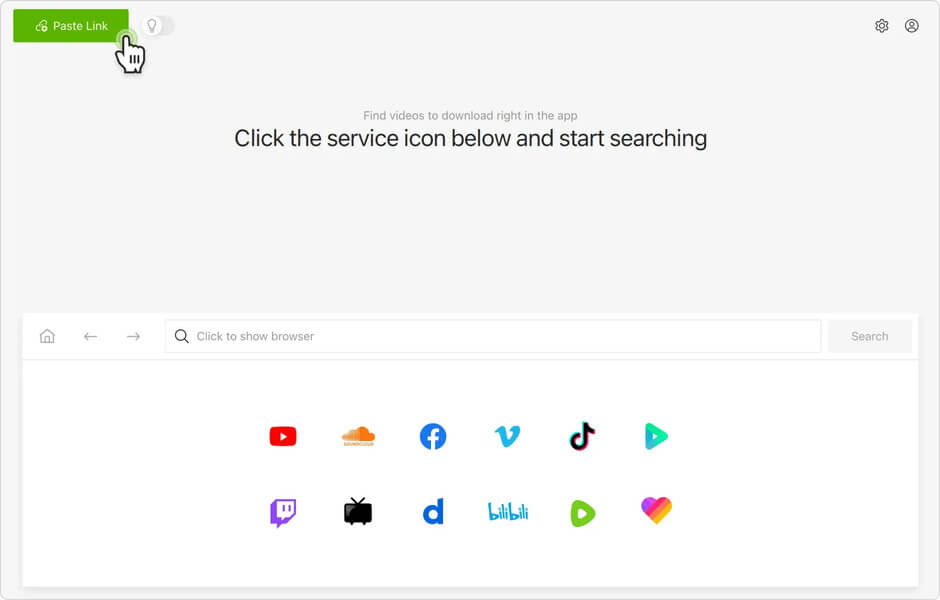
Kauj Ruam 2. Luam thiab muab tshuaj txhuam rau hauv URL Video
Now launch your browser and find the YouTube videos you want to download. Then you should copy the URL. After that, go back to Online Video Downloader to paste the URL, and click on the “Analyze” button.
![Top 8 Best 4K YouTube Video Downloaders [2022 Update]](https://www.getappsolution.com/images/20220131_61f74a3785219.webp)
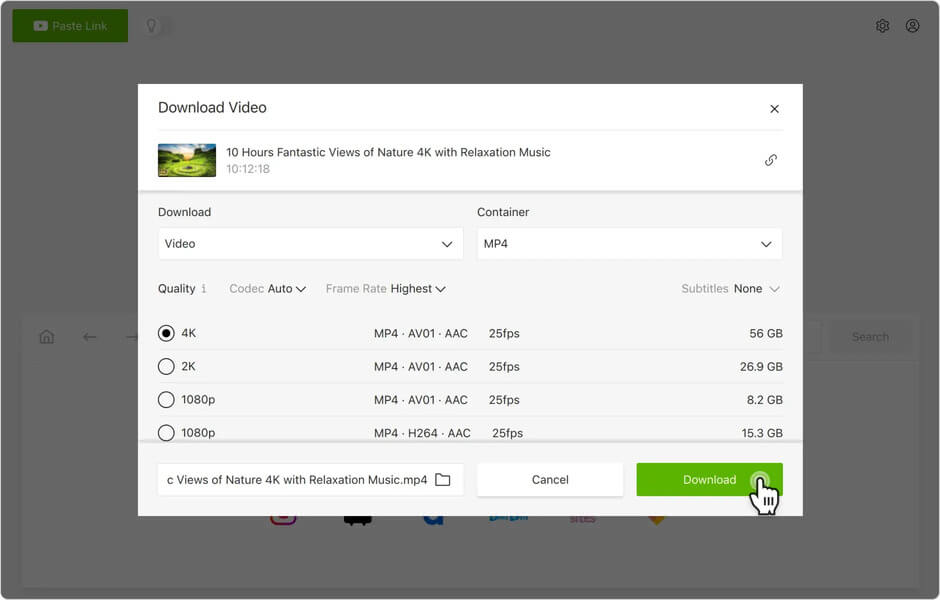
When the analysis is done, you need to choose an output format from the pop-up window. Select the output you need and click the “Download” button to start downloading.
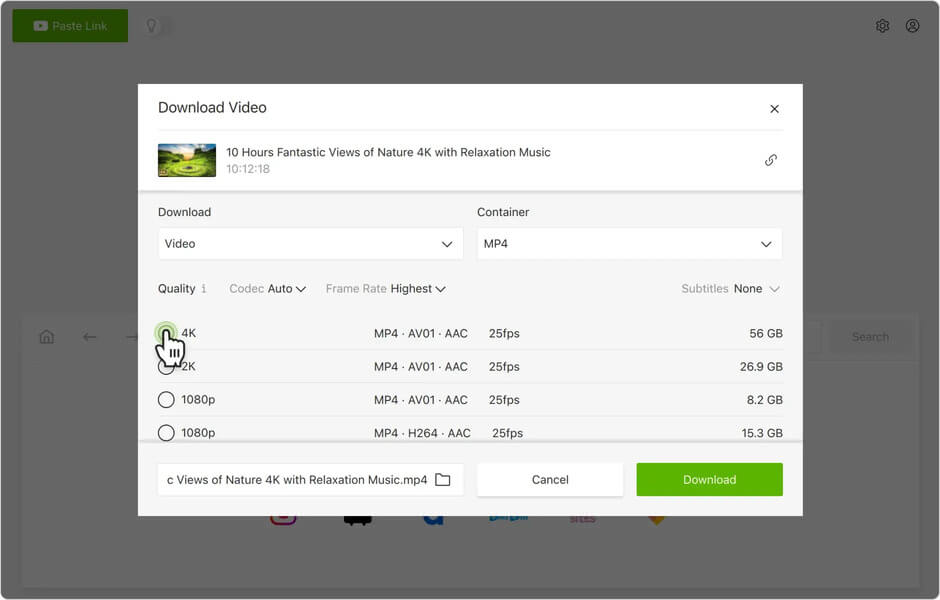
Cov Lus Qhia: Online Video Downloader also supports batch downloading which means you can download multiple videos at the same time. Just copy and paste the URL into the program, and it will finish the mission as fast as possible.
Step 3. Find the Video Files in the Computer
Usually, the program will start downloading YouTube videos once you click the “Download” button. The downloading speed depends on your computer’s performance and network. When the download process is finished, you can go to the “Finished” tab and click “Open the Folder” to find the YouTube video.
With Online Video Downloader, you can download any video from YouTube for watching offline, editing for further use, etc. And, the program now has a free trial version that allows you to download videos for free in 15 days. That’s good for you to evaluate this YouTube video downloader . If you have any comments or suggestions for Online Video Downloader, leave them below or send an email to our support team.
Tsab ntawv no muaj txiaj ntsig li cas?
Nyem rau ntawm lub hnub qub kom ntsuas nws!
Qhov ntsuas nruab nrab / 5. Cov lej pov npav: