
Periscope was owned by Twitter before its public launch. The platform mainly provides for users to share and enjoy video content, looking like TikTok and Instagram. Its regulation is set to limit the exposure of the videos – they can only be viewable within 24 hours of posting! To forever keep the content, this post will guide you to download Periscope videos on desktop, iOS, and Android in the proper way. Please keep reading!
Attention: Periscope apps for iOS and Android have been moved off the shelf. You can only stream Periscope videos using the online platform.
Part 1. How to Download Periscope Videos on Windows & Mac
First, let’s come to the guide on how to download videos from Periscope on PC. By utilizing a professional Periscope video downloaded, you can work this out simply. We recommend an Online Video Downloader to help.
Mea hoʻoiho wikiō pūnaewele empowers out-performing video downloading features. It provides an intuitive interface and serves users with the best Periscope downloader, meanwhile, supports downloading from other 10,000+ websites, such as Facebook, YouTube, Twitter, TikTok, Instagram, etc.
Online Video Downloader requires only URLs for converting video to MP4 with the best HD/4K/8K quality. With the batch download feature, Online Video Downloader can resolve multi-downloading processes simultaneously, reminding users of its reliability and powerful performance.
Hoʻoiho manuahi Hoʻoiho manuahi
Step 1. Install Periscope Video Downloader
Install the right version of Online Video Downloader on your Windows/Mac. Then open it when the installation completes.
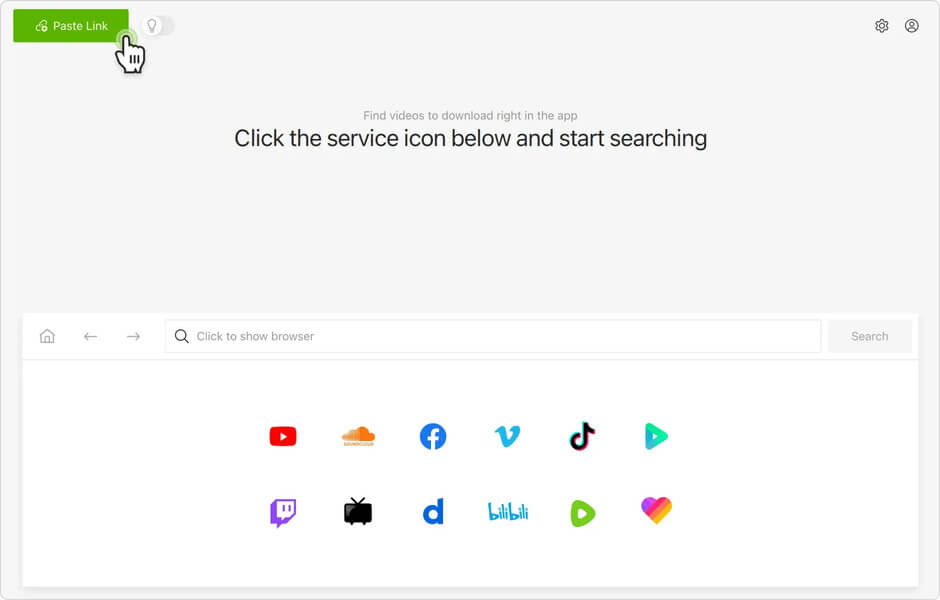
Step 2. Copy Periscope Video URL
Sign in to Periscope on the web and stream the Periscope video you need to keep permanently offline. By clicking on the video playback page, move your mouse to the address bar. Then click on it to copy the URL of the video.
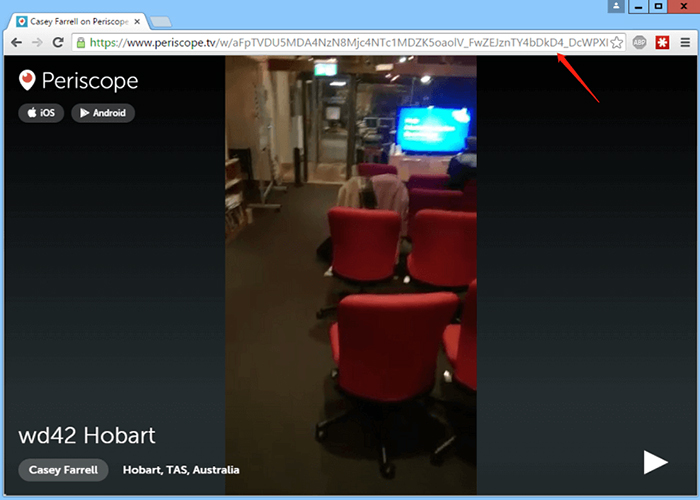
Step 3. Paste the URL to Online Video Downloader
Go back to Online Video Downloader now. When you are on the main feed, paste the URL to the downloading bar there. Subsequently, tap the Kālailai button beside the bar to resolve the Periscope Video URL.
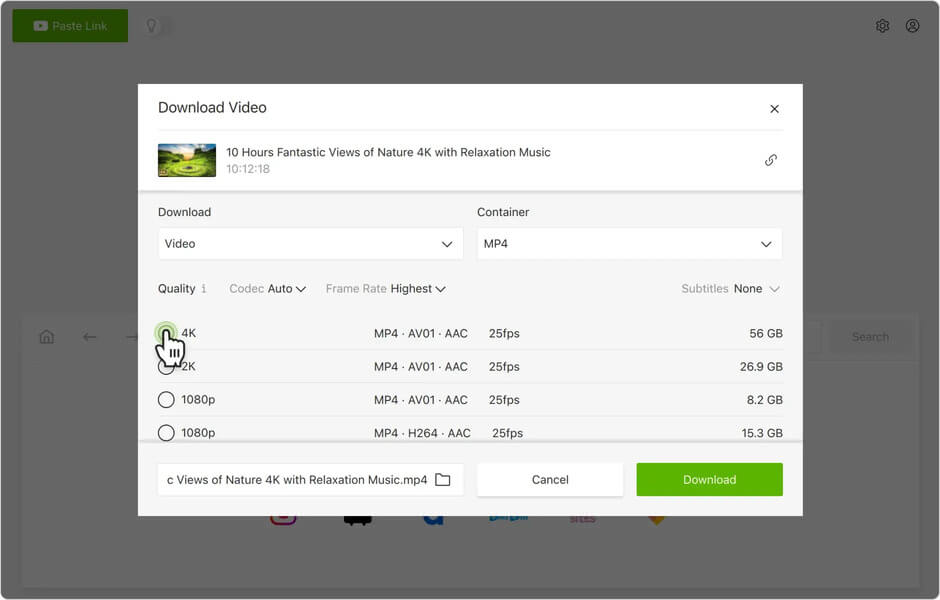
Step 4. Download Periscope Video
Online Video Downloader provides the output options, select format, and resolution for outputting the Periscope video. Simply tick the option and click on the Hoʻoiho button, the Periscope video can be downloaded right away.
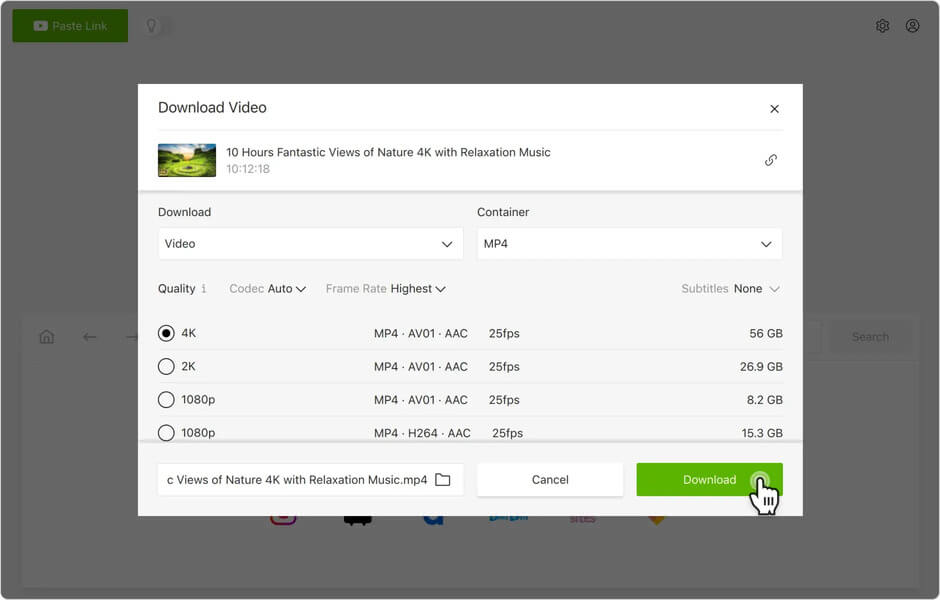
Note: The downloaded Periscope video can be reached for offline playback in the Ua pau tab. You can click on the E wehe i ka waihona button to quickly access it.
Hoʻoiho manuahi Hoʻoiho manuahi
Part 2. How to Record Periscope Video on Android and iOS
If you are a mobile user, the guide on how to record Periscope videos on Android and iOS may also help you. Keep reading.
For iOS Users
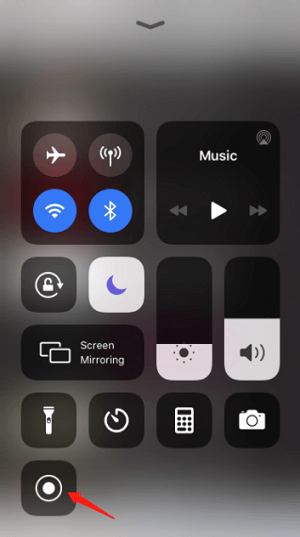
iOS has launched the built-in screen recording function for a long period. By utilizing this feature, iOS users can easily record Periscope videos on iPhone and iPad. You only need to prepare the feature in your Control Centre (go to Nā hoʻonohonoho > Control Centre for managing).
Then you can access it by swiping down (up) the Control Centre for awaking to record the Periscope video when you need it.
For Android Users
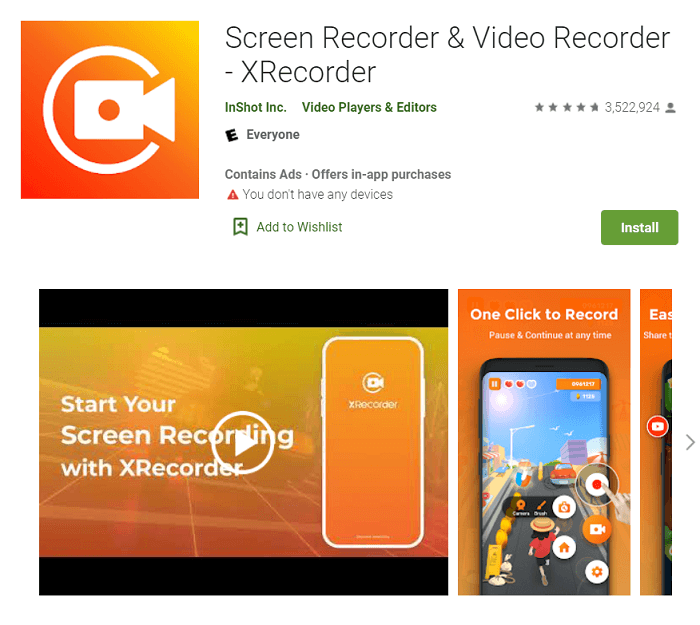
On Android, it doesn’t provide an official built-in recorder for capturing the screen. So for Android users, a third-party screen recorder will be required to help record Periscope videos. For example, you can search for screen records in Google Play for installation. It provides many excellent apps for recording Android screens such as XRecorder, AZ Screen Recorder, and so on. Most of them can be embedded in the floating bar on the screen, and when you need to record a Periscope video, click the recording button on the screen and the recorder will immediately function to help.
To summarize, there are two key solutions to keep Periscope videos offline, which are to download them or to record them. By comparison, downloading Periscope videos would be more convenient and keep video/audio quality by Online Video Downloader. Nevertheless, to have to wait for the video to complete the playback on the screen if you select to record it. Download Mea hoʻoiho wikiō pūnaewele to have a try!
Hoʻoiho manuahi Hoʻoiho manuahi
Pehea ka pono o kēia pou?
Kaomi ma luna o kahi hōkū e helu ai!
Ka helu awelika / 5. Helu balota: