
Spotify yana ɗaya daga cikin shahararrun manhajojin yaɗa kiɗa. Yana ɗauke da adadi mai yawa na masu amfani da shi a kowane wata a ƙasashe 184. Spotify yana mai da hankali kan samar da mafi kyawun ingancin kiɗa don nishadantar da masu amfani da shi. Spotify albarka ce ga waɗanda suka haukace game da kiɗa. Idan ba ku sani ba. yadda ake saukar da waƙoƙin Spotify zuwa MP3 , this article is for you.
Part 1. How to Download A Playlist on Spotify?
Spotify has a known place in the market as it supports a library of 70 million songs. 2 billion playlists and 2.6 million podcasts are hosted by Spotify so far. The most interesting is that the music app adds about 20,000 tracks to its library every day. This is the main reason behind the large number of users of Spotify. People from corners of the world will get music that matches best their tastes. That is why Spotify is becoming more popular in the market every day.
Spotify offers two main versions to its users; Free and Premium. The free version provides music with limitations and some restrictions. But if you are looking to enjoy hustle-free music, then Premium Version is for you. The Premium feature lets users enjoy offline listening. This means if you are running short of data or you have to move to an area deprived of a cellular connection, you can still enjoy music. Now download your favorite playlist on your device and entertain yourself with the best music streaming app. Here are the different ways to download Spotify playlists to your devices.
Yadda ake saukar da jerin waƙoƙin Spotify akan iPhone
An iPhone with the latest Spotify version and a Premium subscription provides a way to download a Spotify playlist. Following are the steps for downloading the Spotify playlist on your iPhone.
Step 1: Launch Spotify on your iPhone and click on the Login In button present at the bottom of the screen.

Step 2: After Login, go to the Laburare sashe kuma danna kan jerin waƙoƙin da kake son saukewa. Da fatan za a kunna zaɓin Zazzagewa ta hanyar zame shi zuwa gefen dama. Bayan ka kunna shi, zai juya green .

Step 3: Then Spotify starts downloading the playlist on your iPhone. When the download process finishes, you will see a green symbol next to your playlist. And now you can enjoy your favorite tracks.

Not only that, you can make your customized playlist containing your favorite tracks and then download that customized playlist for offline listening.
Yadda ake saukar da jerin waƙoƙin Spotify akan wayar Android
Step 1: Run the Spotify app on your android and Login into your Premium Account. Search the tracks you want to download. Then click on the three dots and reach the Save option to save the tracks to your library.
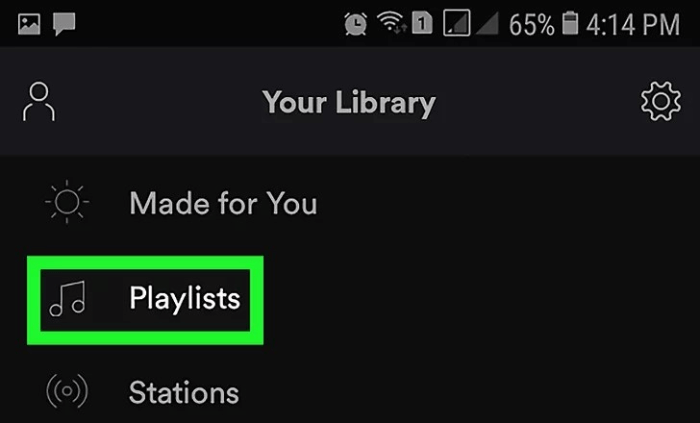
Step 2: Bayan haka, je sashin Laburare ka duba jerin waƙoƙin da aka ajiye. Sannan ka kunna zaɓin saukewa.
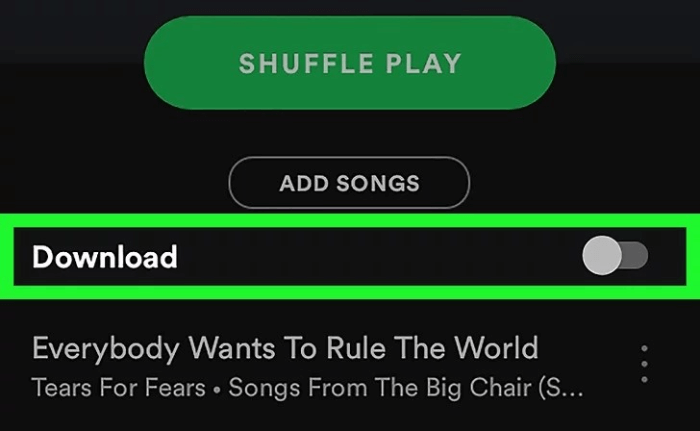
Step 3: Danna zaɓin saukewa, kuma wannan zai baka damar sauke jerin waƙoƙin kai tsaye zuwa cikin android ɗinka. Je zuwa ɓangaren ɗakin karatu ka kunna yanayin offline. Sannan kana kan hanyarka ta jin daɗin waƙoƙin ba tare da wata matsala ba.
How to Download Spotify Playlist on Windows
Step 1: Daga kwamfutarka shiga cikin asusun Spotify Premium ɗinka. Sannan ka nemi jerin waƙoƙin da kake son saukewa.
Step 2: After selecting the desired playlist, turn on the download option. Slide the toggle of the download option to the right side. It will turn Green. This lets to download the playlist quickly on your PC.
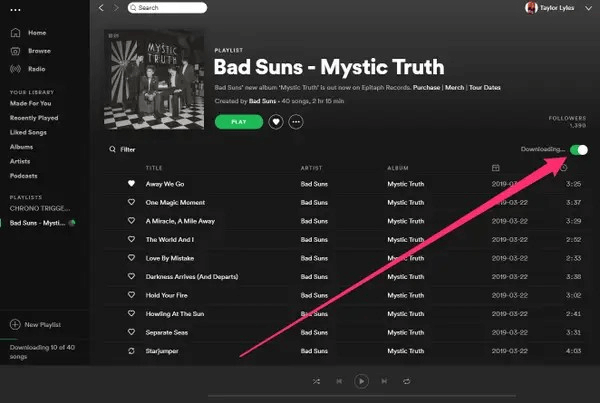
Step 3: After completing the download, a green symbol appears next to the playlist available for offline listening.
Location of the Downloaded Playlists
To locate the downloaded playlist on your computer, open the Spotify app. Go to Settings, click Show Advanced Settings, and click Offline Songs Storage. After this, you will find the exact location of your downloaded playlist.
How to Download a Spotify Playlist on Mac
Downloading the songs on Mac is much similar to PC but with a slighter difference.
Step 1: Log in to your Spotify Premium Account from the Spotify Desktop app.
Step 2: Browse the song or playlist you want to download. You can also curate your playlist carrying different songs.
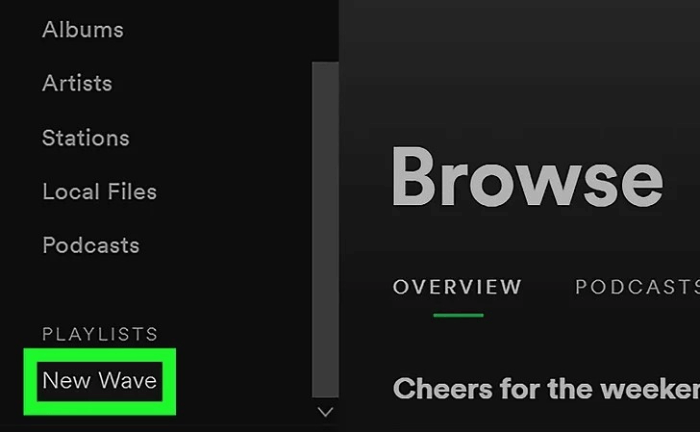
Step 3: Then, Save the playlist in the library section. After that, reach the library section and click on the playlist you need to download.
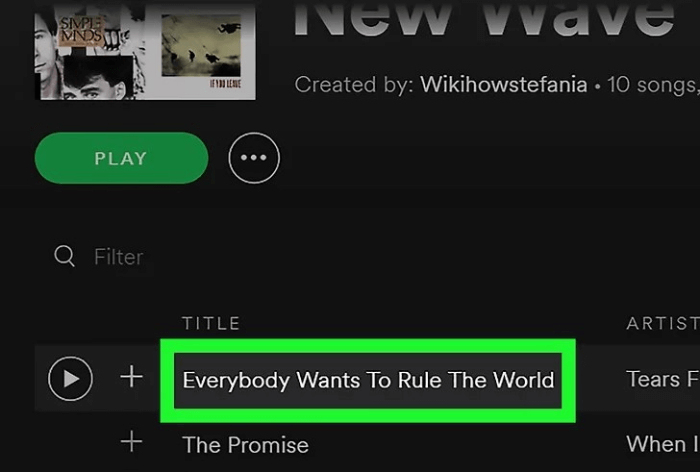
Step 4: Kunna zaɓin saukewa don saukar da jerin waƙoƙin, kuma kuna kan hanyarku ta jin daɗin waƙoƙin ba tare da damuwa da bayanan wayar salula ba.

Kashi na 2. Yadda ake Sauke Waƙoƙin Spotify zuwa MP3 Kyauta
For Spotify premium users, you can download Spotify playlists and listen to the playlist offline during the validity period. For users with free accounts, you can only stream Spotify music online. However, subscribing to premium does not mean you can download Spotify playlists to MP3.
How to download a Spotify playlist to MP3? Is there any method to play the Spotify playlist on an MP3 player? If you are looking for a solution to this situation, Spotify Playlist Downloader is highly recommended to you. This Mai Canza Waƙar Spotify ƙwararre ne wajen sauke waƙoƙi da jerin waƙoƙi daga Spotify.
Spotify Music Converter is here to solve the problem. It lets the users of Spotify download the tracks into several different formats; MP3, M4A, FLAC, and WLAC. Spotify Music Converter converts the tracks at a 5X faster rate. Not only that, Spotify Music Converter lets its users download tracks into MP3 without losing audio quality.
Before continuing, make sure to download and install Spotify Music Converter on your computer. You can download it by clicking the download button below.
Yanzu, bari mu fara koyaswar saukar da jerin waƙoƙin Spotify zuwa MP3 akan Windows ko Mac ɗinku.
Step 1: Launch Spotify Music Converter.
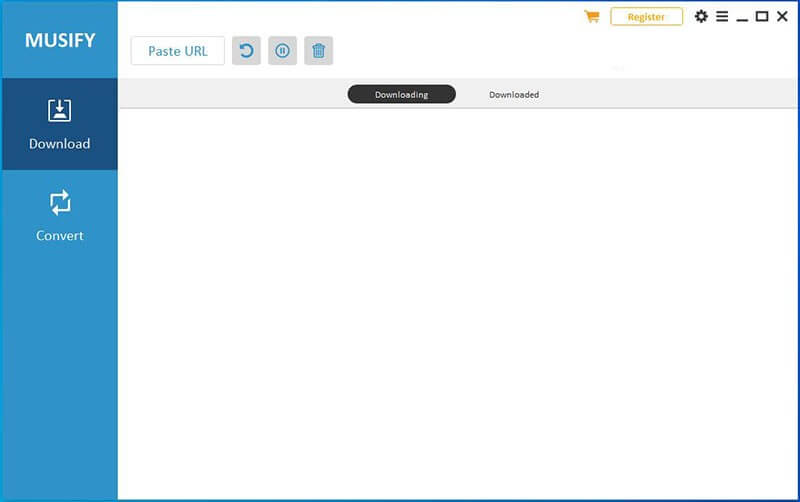
Step 2: Browse and open the desired playlist you want to download. Then copy the URL.
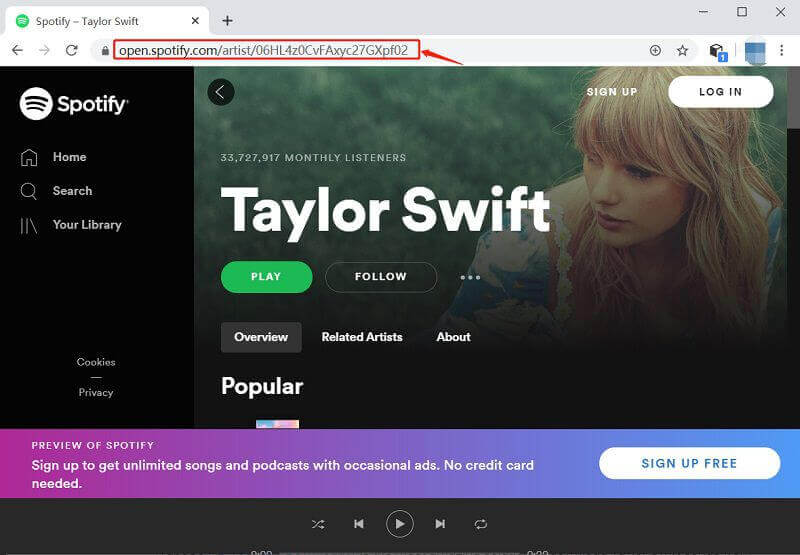
Or you can add the Spotify songs to Spotify Music Converter.
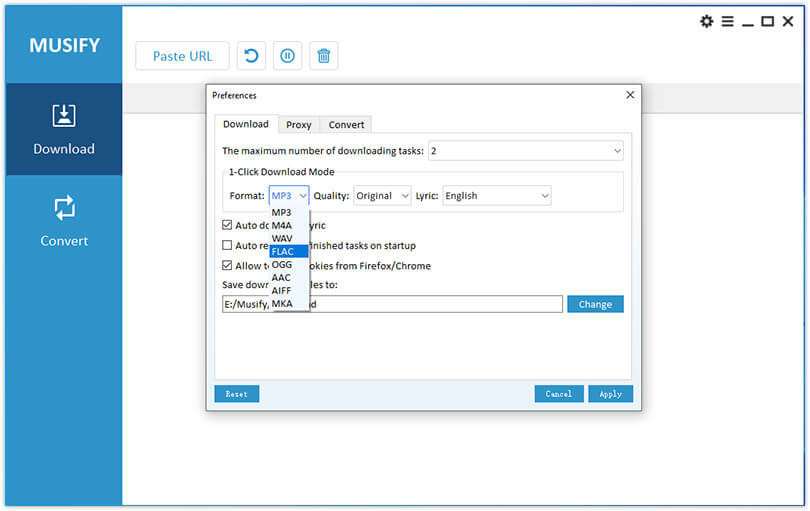
Step 3: Daidaita tsarin fitarwa zuwa MP3 tare daga kusurwar saman dama na allon. Hakanan zaka iya canza wurin saukarwa ta danna maɓallin Browse a ƙasan hagu. Zaɓi wurin da ake so sannan ka danna maɓallin Buɗewa. Save zaɓi.
Step 4: Buga Convert zaɓi yana nan kusa da kowace waƙa, ko kuma za ku iya danna maɓallin Maida Duk maɓalli a ƙasan dama na allon don canza duk waƙoƙi tare.
Kammalawa
Spotify is the best music app carrying a rich number of benefits. However, the presence of some limitations makes it inconvenient for some users. But a 3-rd party program like Mai Canza Waƙar Spotify provides a way to enjoy music with high audio quality in different output formats.
If you have any questions about downloading the Spotify playlist to MP3 , please share your thoughts with us in the comment section.
Yaya amfanin wannan sakon?
Danna kan tauraro don kimanta shi!
Matsakaicin ƙima / 5. Adadin kuri'u: